










By Pratap Dhopte, Chief Executive Officer, Excelize. Last updated October 2026.
North America is already the largest BIM market in the world, with 37.4% of global revenue in 2025, according to Mordor Intelligence’s 2026 BIM market report. Yet plenty of U.S. firms still run most of their work in 2D, and it’s rarely because they haven’t heard of BIM. It’s because a few common myths about BIM sound reasonable enough to keep putting it off: it’s just 3D, it’s for big projects, it’s expensive, it needs a new department, and the transition will wreck productivity.
Here’s the short answer. These BIM myths persist because each one holds a grain of truth about a badly planned rollout. BIM is a process, not a modeling style. It scales to small projects, starts on subscription software, can run with your current team plus outside help, and pays back fastest when you adopt it in stages.
| The Myth | What’s actually true |
| BIM is just 3D modeling | BIM is a shared information process; 3D geometry is only one part of it |
| BIM only pays off on big projects | Value depends on how you scope BIM uses, not on square footage |
| BIM is too expensive to start | Software is sold by subscription, and the first stage often needs no new tools |
| You need a whole new BIM department | Most firms train existing staff and add outside capacity when workload peaks |
| The transition costs productivity you never get back | A staged rollout limits the dip, and outcomes improve as use deepens |
Myth 1: BIM is just marketing hype for 3D modeling
BIM isn’t a nicer way to draw in 3D. It’s a way of managing building information so everyone on the project works from the same source.
The National Institute of Building Sciences, which publishes the National BIM Standard-United States, defines BIM as “a digital representation of physical and functional characteristics of a facility.” The word that matters there is functional. A BIM model carries what each element is, what it’s made of, and how it relates to everything around it, and NIBS describes that model as a shared knowledge resource across the building’s whole life.
That’s why the payoff shows up in places a 3D picture can’t reach:
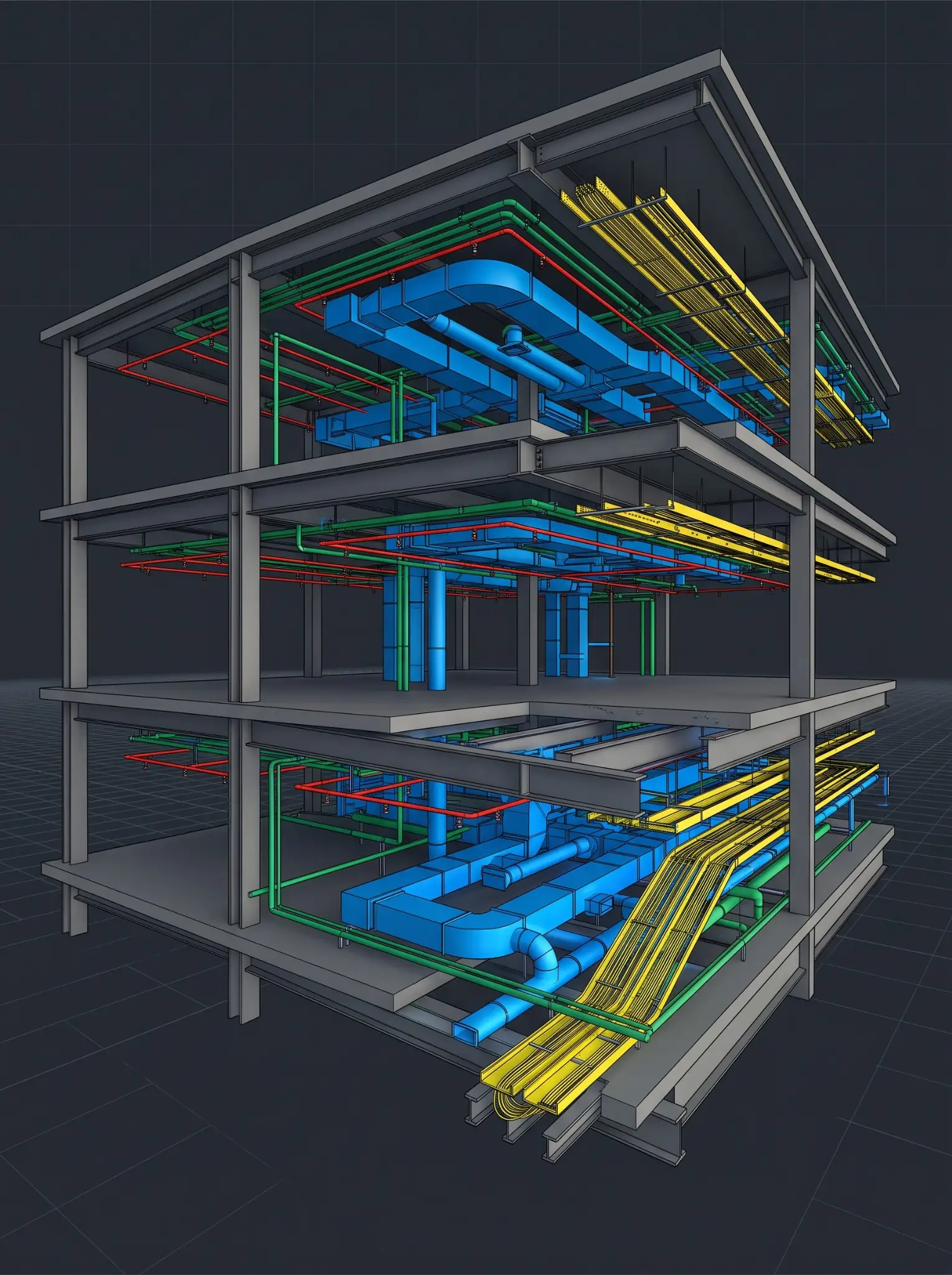
- Coordination: Discipline models are federated and checked for clashes before anything is built.
- Documentation: Plans, sections, and schedules are generated from one model, so they stay consistent through revisions.
- Quantities: Counts and areas come straight from the model instead of a separate manual takeoff.
- Handover: Asset data can travel to the owner’s facilities team instead of being retyped from drawings.
If your team uses 3D mainly for client visuals, that’s a common starting point, not a failure. It just isn’t BIM yet. Our breakdown of BIM vs CAD covers that gap in more detail.
Myth 2: BIM is only for big firms and big projects
BIM scales down because you choose which BIM uses a project needs. A small project doesn’t need every one, but it usually benefits from at least one.
Standards bodies don’t force a one-size answer either. The BIMForum 2025 LOD Specification states that it “does not prescribe” the level of development required at each phase, leaving that to the project team. A small job can model to the detail that serves its real goal, whether that’s quantities, coordination in one tight area, or prefabrication, and skip the rest.
Here’s a real example. On the Revolution Homes residential prefab project, a 2,500 sq. ft. U.S. home, Excelize built an LOD 300 model with parametric Revit families for walls and other repetitive prefabricated components. The model was set up for quantity and BOQ extraction, so procurement could order from model data instead of manual calculations. The client also came away with reusable family standards for future projects. That’s BIM earning its keep on a project most people would call small.
CTA: Not sure BIM is worth it at your project size? Send us a drawing set from a current job, and we’ll model a sample in Revit to your standards in 2 to 3 days, so you can judge the result on your own work.
Button: Test BIM on One of Your Projects
Myth 3: BIM is too expensive and slow to start
Software cost is real, but it’s rarely the highest cost, and it’s easier to start small than most firms assume.
To be fair to the myth, licenses aren’t cheap. Mordor Intelligence’s 2026 BIM market report notes that initial seat licenses can exceed $10,000 and names licensing cost as a barrier for smaller contractors. But the way firms buy BIM has changed. Autodesk sells Revit by subscription, with monthly, annual, and three-year terms, and the same Mordor report expects cloud BIM deployments to grow 18.1% a year through 2031. You can license a few seats for a pilot instead of buying for the whole office.
Many firms already own BIM-capable software and simply aren’t using it as BIM yet. In those cases, the first stage of adoption is about changing how the team uses existing tools, not buying new ones.
What actually costs money is a poorly planned rollout: training everyone at once, switching a live project mid-stream, or modeling far more detail than anyone will use. Those are planning problems, and you can avoid them.
On the return side, we won’t repeat a headline percentage here. Published ROI figures vary widely because studies measure different things. Our article on what the data actually shows about BIM ROI walks through the evidence and shows which records to keep so you can measure your own return.
Myth 4: BIM implementation requires a whole new team
You don’t need to replace your people, and in today’s market you probably couldn’t. The AGC and NCCER 2026 Workforce Survey, fielded in July and August 2026, found that 82% of construction firms reported openings for salaried positions, and 64% of firms hiring engineers said those roles were hard to fill. Most firms build BIM capability by training the staff who already know their standards and clients, then adding outside capacity when workload peaks.
Your project managers, drafters, and engineers already understand how your firm builds and documents work. That knowledge is harder to hire than Revit skills. A sensible path usually looks like this:
- Pick one pilot project: Choose a real job with a manageable scope, not a showcase.
- Train a small core group: Train the people on that pilot first, on the specific workflow the pilot needs.
- Set standards early: Create templates, families, and a BIM Execution Plan before the second project, not after the fifth.
- Add capacity, not headcount: When deadlines stack up, bring in an extended team instead of hiring for a peak that won’t last.
That last step is where firms often worry about working with an outside team, especially one that isn’t local. The concern is fair, and it’s controllable. Ask any BIM partner for a defined scope, a named point of contact, and a documented BIM Execution Plan before production starts, which is how Excelize starts every engagement. Our U.S. leadership in New Jersey and California manages the relationship, and our India delivery studio handles production. Through our On-demand BIM Team and Dedicated BIM Studio options, a modeler or pod can be embedded within 48 hours.
CTA: Weighing whether to train, hire, or bring in outside help? In a Discovery Session, we’ll look at where your team works today and map out a realistic first stage, including which projects to pilot and who should be trained first.
Button: Map Your Firm’s BIM Adoption Path
Myth 5: The transition costs productivity you never get back
There’s usually a learning dip. It doesn’t have to be large, and it isn’t permanent if you stage the change.
The firms that lose the most time try to move everyone, on every project, all at once. A staged rollout keeps most work running the familiar way while one team builds skill on a pilot. Then you widen it.
The payoff also grows the more consistently you use BIM. In Dodge Data & Analytics’ 2021 SmartMarket Report on BIM, 73% of the heaviest BIM users (those using it on 75% or more of their projects) reported reduced errors and rework, compared with 52% of the lightest users. The survey covered BIM users in seven regions, including North America. The lesson for a firm in transition is simple: the early dip is the cost of reaching the depth of use where the returns are.
That’s the logic behind our staged BIM adoption service. We assess where your firm actually works today, then move you one level at a time, with a gap review at each stage before the next one starts. When you’re ready to run that plan on live projects, BIM implementation and training ties the rollout to each project’s BEP.
Moving past the myths about BIM: where should your firm start?
Your first step depends on where your team actually works today, not on where your software says you are.
- Mostly 2D, with 3D for visuals: Get 3D modeling into real daily use on one pilot project before anything else.
- Modeling in 3D, sharing files manually: Set up a Common Data Environment, because shared data is what makes collaboration work.
- CDE in place, uneven use across teams: Focus on consistent standards and training, not new technology.
- Full use, but capacity is the bottleneck: Add an extended team for peaks instead of hiring for them.
Frequently asked questions
Is BIM worth it for a small firm?
Yes, when you scope it to a clear use. A small firm doesn’t need full lifecycle BIM on day one. Start with the use that pays back fastest on your work, such as quantities, coordination in tight areas, or consistent documentation, and build from there.
Do we need to buy new software to adopt BIM?
Not necessarily. Many firms already own BIM-capable tools such as Revit and aren’t using them as BIM yet. The first stage is often about process and how existing tools are used, especially around shared data, rather than new purchases.
How long does BIM adoption take?
It depends on your starting point and how many stages you need. One stage, such as getting 3D modeling into daily use, can settle within a few months. A full move from mostly 2D work to collaborative BIM is longer and should be staged deliberately.
Can an outside BIM team work to our standards?
Yes, if the engagement is set up properly. Insist on your templates, a documented BIM Execution Plan, a named point of contact, and QA/QC’d deliverables before production starts. Those controls matter more than where the team sits.