
Are you a Starter, Warrior, Achiever or Guru? Discover where your organization stands on the BIM readiness with our complimentary assessment.
Stop Clashes Before They Stop Your Project. For MEP contractors, general contractors, and VDC teams across the USA, BIM clash detection has shifted from a value-add to a project requirement. Owners and GCs increasingly mandate coordinated, clash-tested BIM models in their Employer's Information Requirements (EIR) before construction commences.
20+
Years BIM Expertise
2,500+
Projects Delivered
90%+
Clashes Resolved Pre-Construction
10x
Average ROI on BIM Coordination
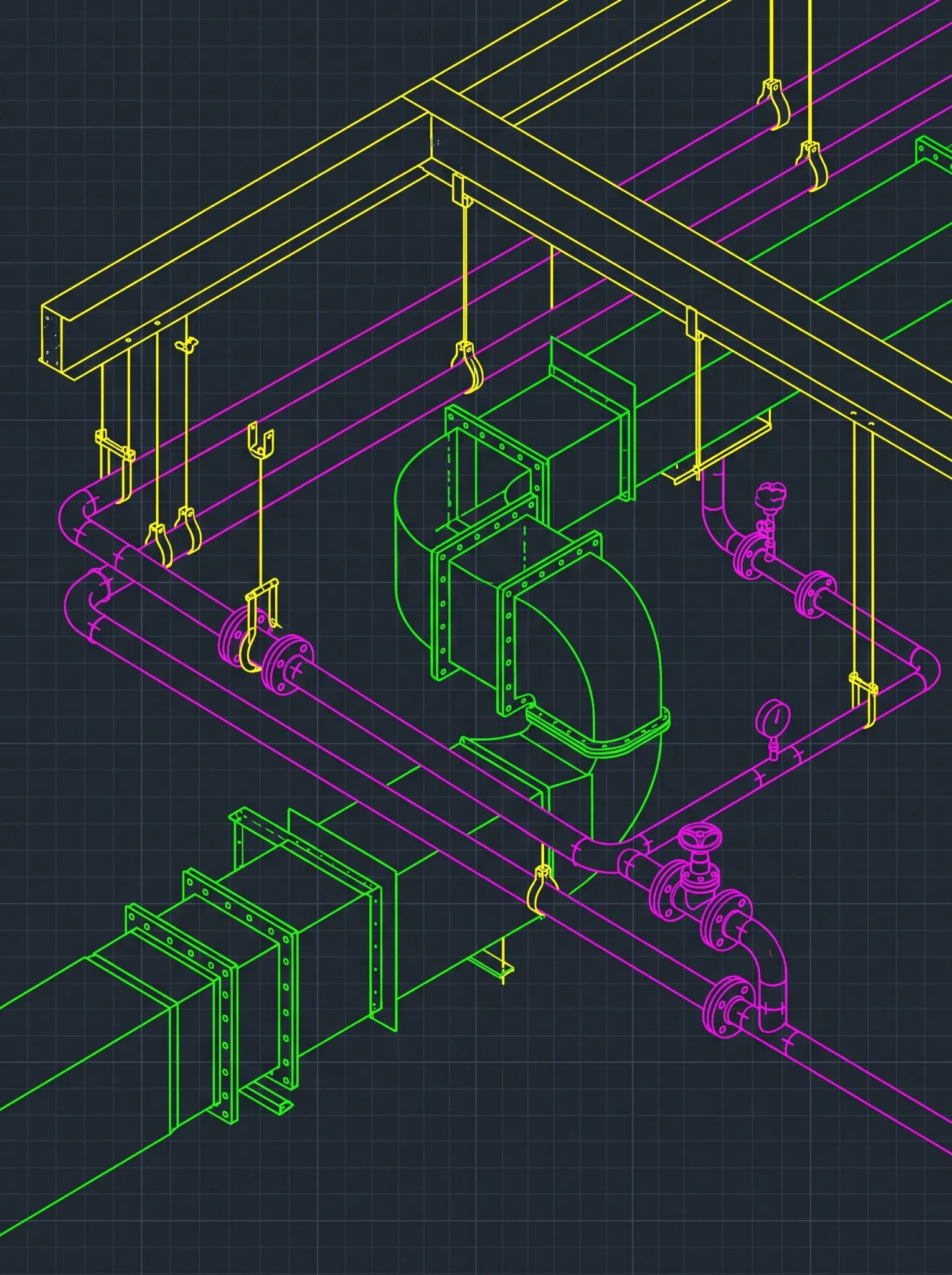
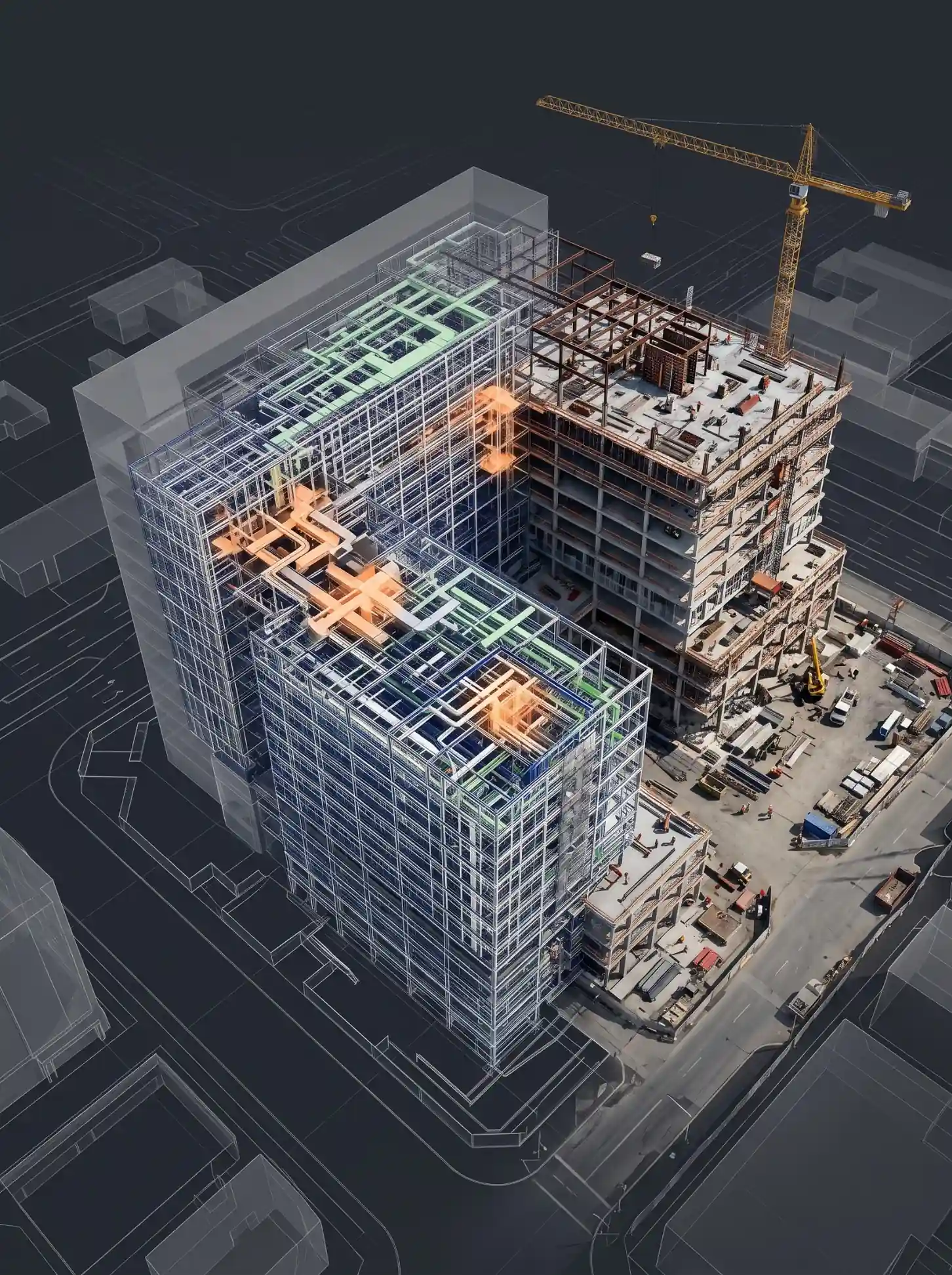
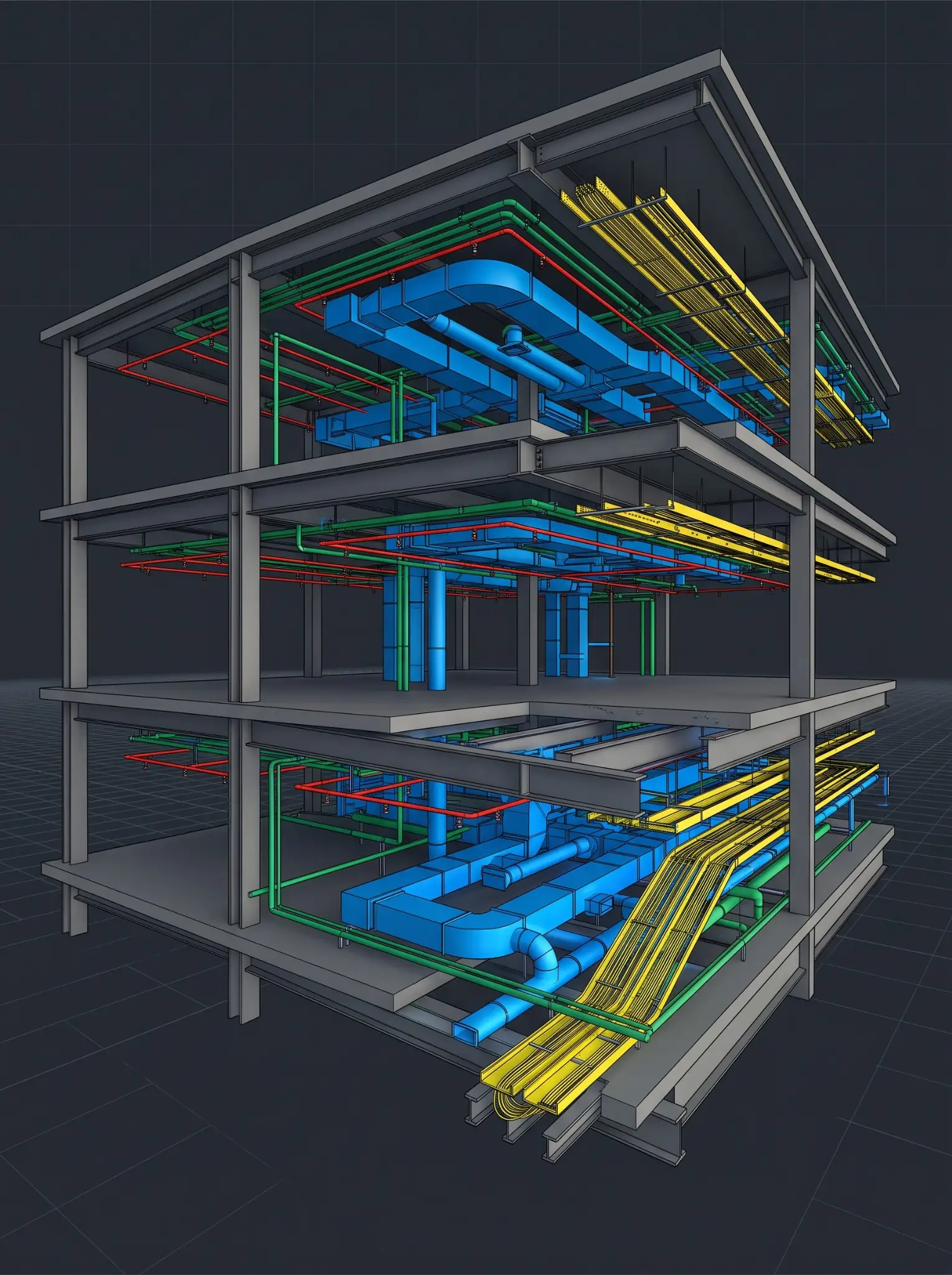
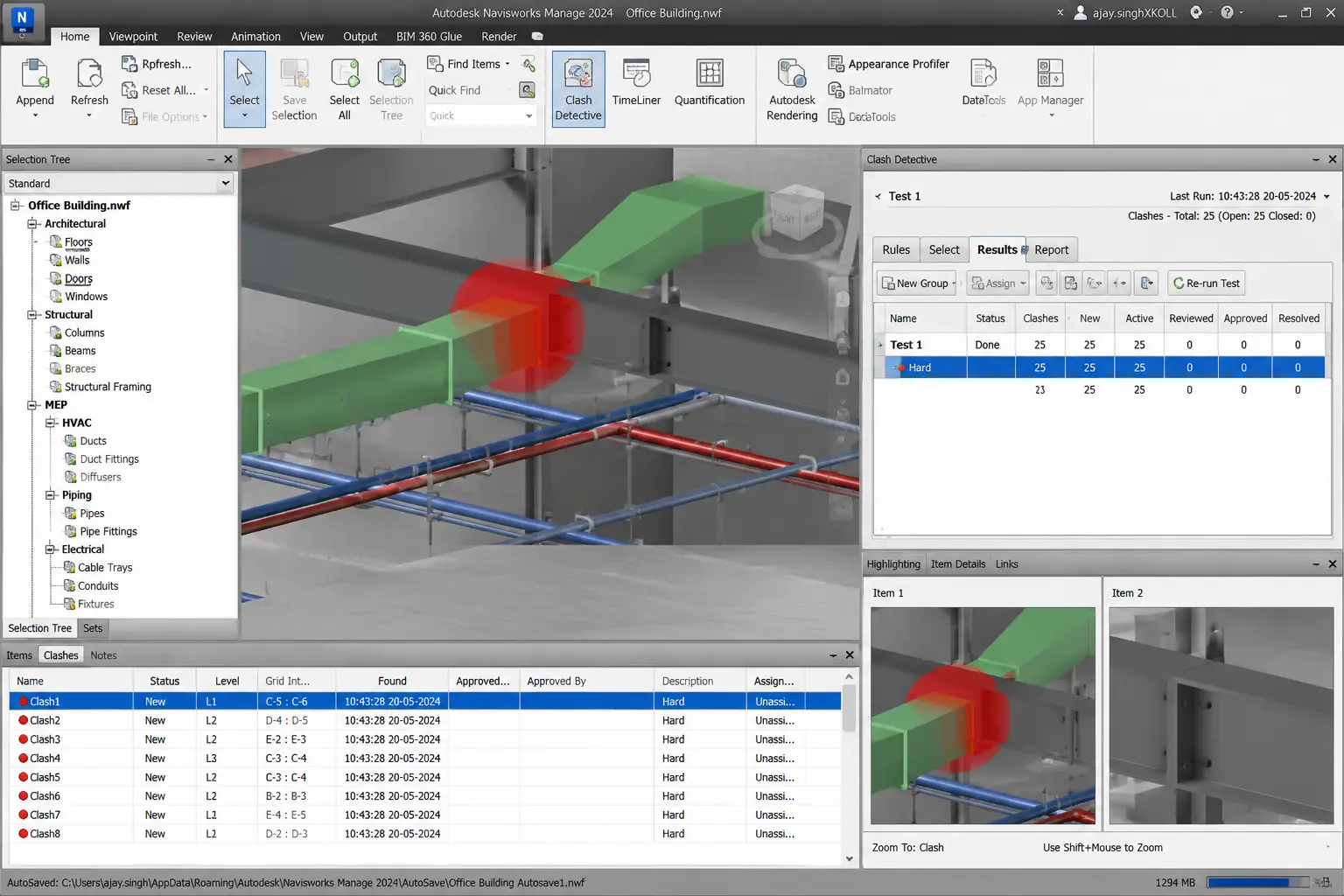
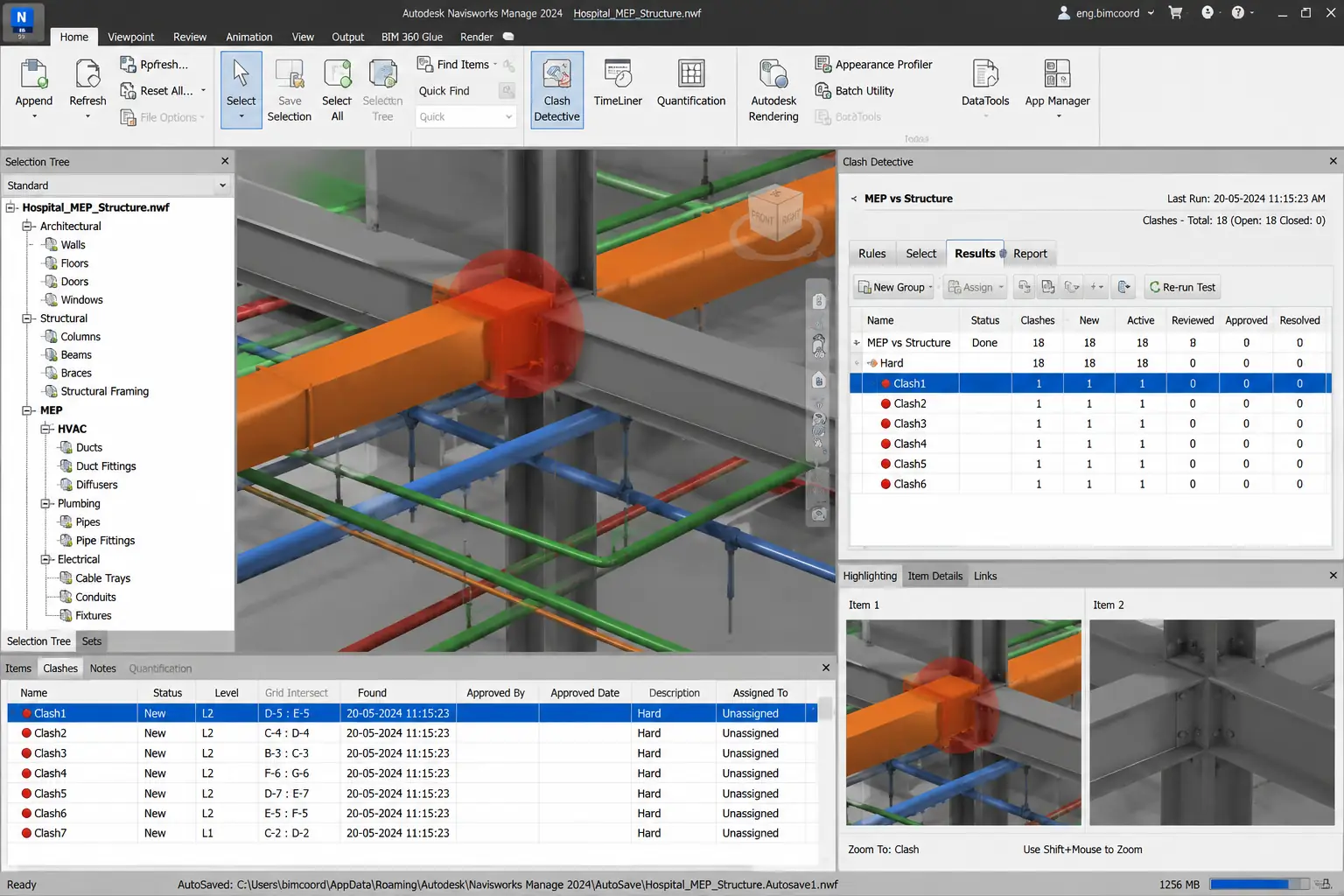
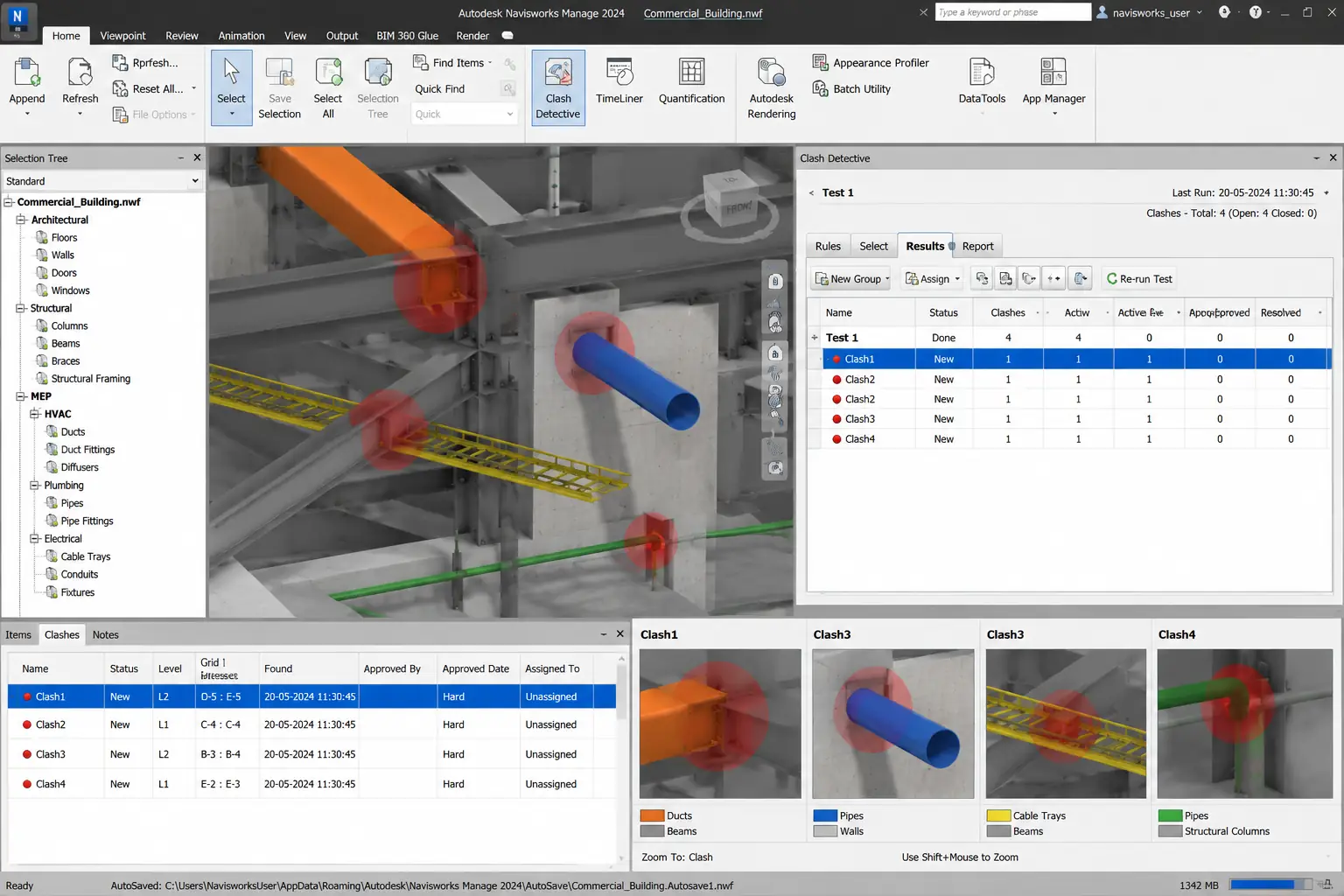
BIM clash detection is the automated process of identifying spatial conflicts between building systems — architectural, structural, and MEP elements — within a federated 3D BIM model before construction begins. Using Navisworks Manage, discipline models are combined and interference-checked to locate every hard clash, soft clash, and workflow clash. Clashes are then prioritized, reported, and resolved in Revit before a single component is fabricated or installed on site.
The US construction industry loses an estimated $177 billion annually to rework and field inefficiency (FMI Corporation). A study published in Construction Management and Economics found that BIM-based clash detection delivers savings of up to 20% of contract value on large infrastructure projects. A case study by Haskell on a $230 million design-build project showed that a $200,000 investment in BIM coordination produced over $2.5 million in verified savings — a 10x return on investment. Each unresolved clash discovered on-site costs an average of $1,500+ to resolve, compared to a fraction of that cost when caught in the model during design coordination.
For general contractors, MEP subcontractors, and VDC teams across the USA, BIM clash detection has shifted from a value-add to a project requirement. Owners and GCs increasingly mandate coordinated, clash-tested BIM models in their Employer's Information Requirements (EIR) before construction commences. The cost of finding a duct-vs-beam conflict in Navisworks during design coordination is a model adjustment. The cost of finding the same conflict on-site is a change order, wasted materials, idle labor, and a delayed schedule.
At Excelize, clash detection and resolution is one of our core BIM services. Our dedicated VDC coordination team uses Autodesk Navisworks Manage to federate architectural, structural, and MEP models and run systematic interference checks across all discipline pairs. We classify every clash by type and severity, produce prioritized clash reports, and work with your design and trade teams to resolve conflicts in Revit before construction begins. With 20+ years of BIM coordination experience and 2,500+ projects delivered, we bring the engineering judgment to distinguish real conflicts from acceptable tolerances — preventing the 'clash fatigue' that overwhelms coordination teams with false positives.
FMI Corporation / Haskell / CME: BIM-based clash detection eliminates 90%+ of coordination conflicts pre-construction and delivers up to 10x ROI on coordination investment — versus $1,500–$17,000 per clash discovered on-site.
5-Step Clash Resolution Process
Not all clashes are equal. Understanding the three types of BIM clashes helps project teams prioritize which conflicts to resolve first, which to accept, and which will cause the most expensive on-site problems if left unresolved. Excelize classifies every clash we identify into one of three types before assigning severity and resolution priority.
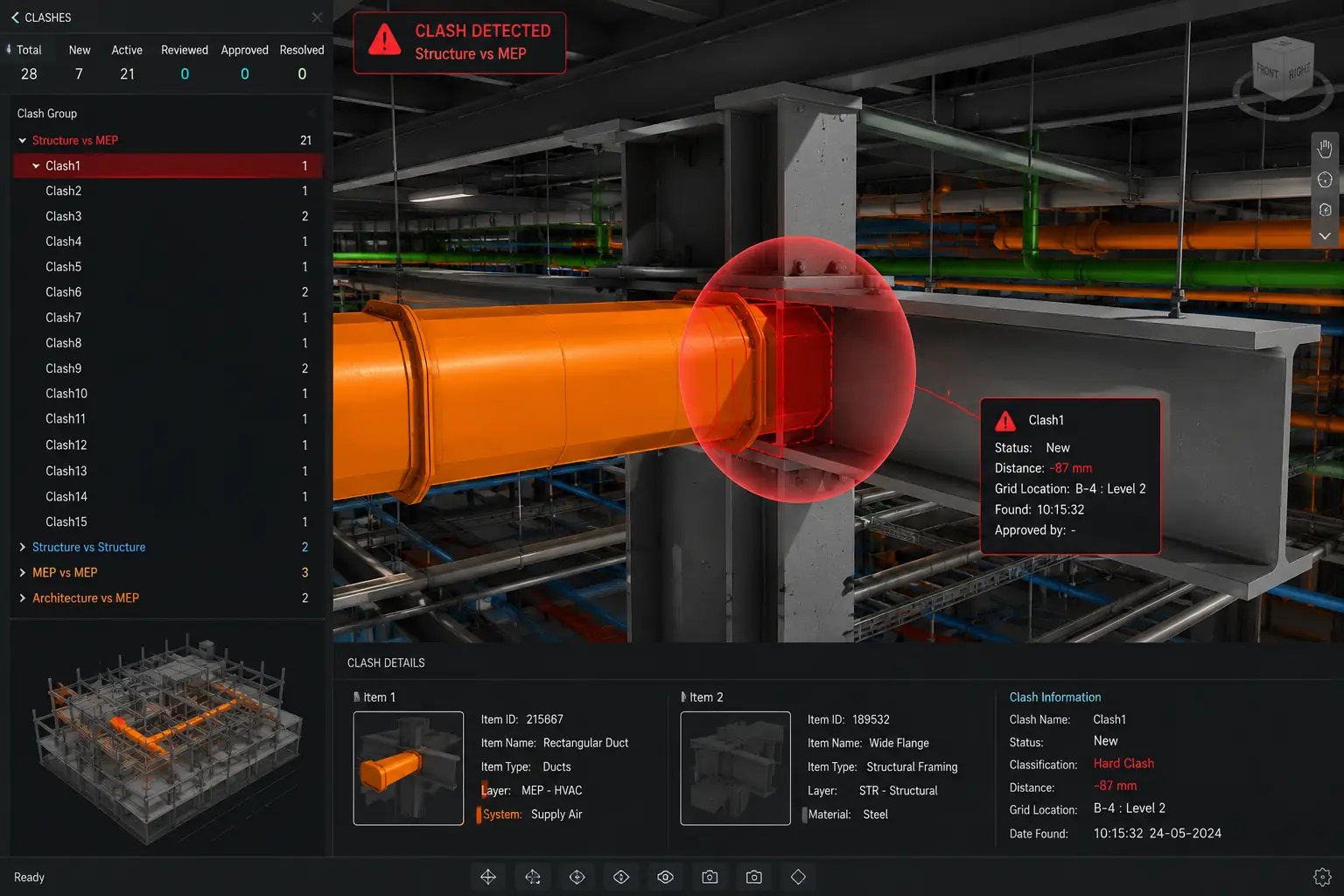
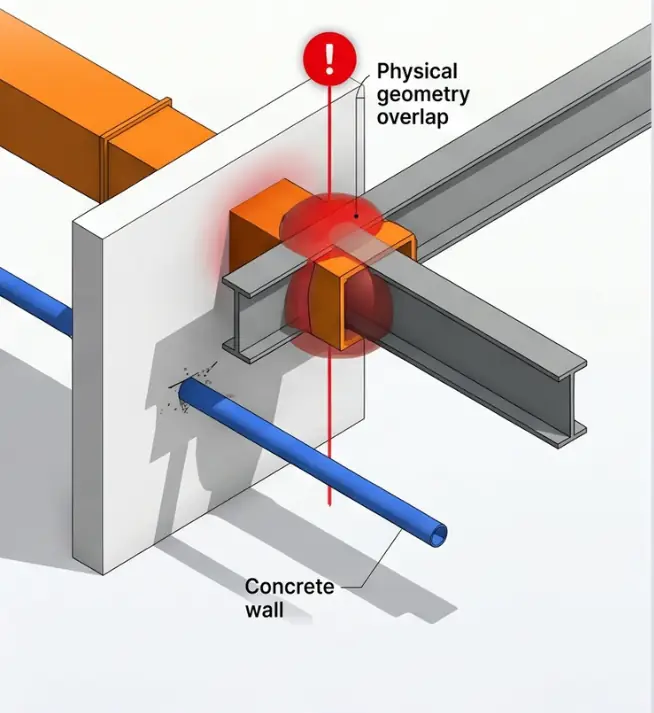
A hard clash occurs when two building elements physically occupy the same space in the 3D model — a mechanical duct passing through a structural beam, a plumbing pipe intersecting an electrical conduit, or an HVAC unit placed where a column is located. Hard clashes represent direct geometric interference and are the most straightforward to identify through automated Navisworks clash detection.
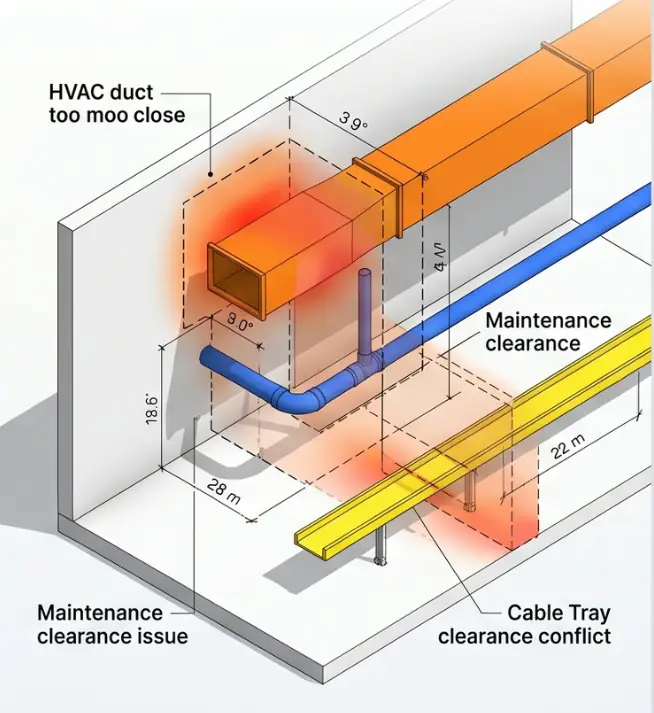
A soft clash occurs when a building element violates the clearance zones, maintenance access spaces, or geometric tolerances required around another element — without the two objects physically touching. Examples include MEP equipment installed without the code-required maintenance access clearance, insulated pipes too close to adjacent structure, or ductwork that blocks future access to electrical panels.
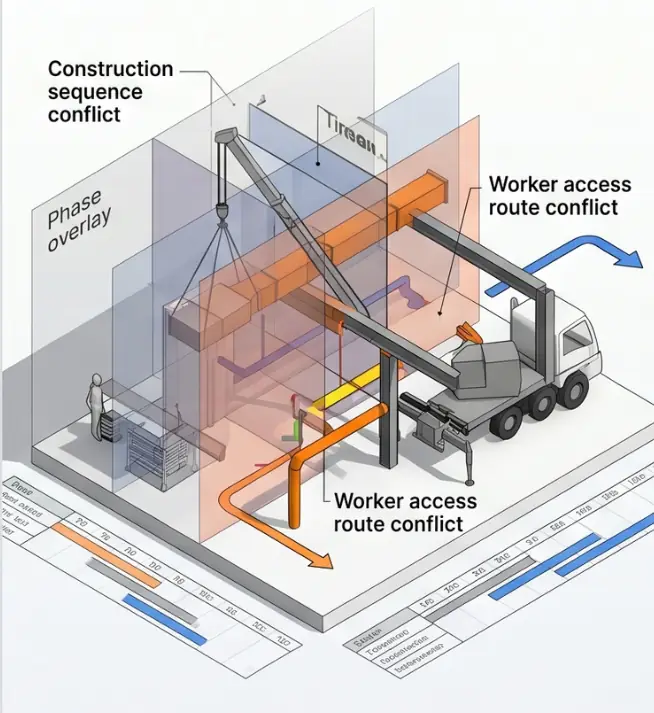
A workflow clash — also called a 4D clash — occurs when the construction schedule creates conflicts between trades or activities, even when the physical geometry has no hard or soft conflicts. When the BIM model is linked to the construction schedule (4D BIM), workflow clash detection identifies situations where two trades are scheduled to work in the same space simultaneously.
Request a Hard Clash Detection Analysis for Your Project
Send us your models and we will run a no-cost pilot clash report within 48 hours.
Not every clash requires the same urgency of response. Excelize classifies every identified clash into one of three severity levels — C1, C2, and C3 — based on its impact on cost, schedule, and constructability. This classification drives resolution prioritization and helps your project team focus attention on the conflicts that matter most.
Critical Clash
Direct physical conflict requiring immediate redesign or rerouting. No acceptable workaround exists. Identified through automated clash detection as a geometric hard conflict between building elements.
Moderate Clash
Spatial or clearance conflict that requires design modification but has feasible resolution options. Includes MEP clearance violations and maintenance access conflicts that do not involve direct physical overlap.
Low Clash
Minor tolerance infringement or acceptable overlap that can be resolved during installation with minor adjustment. Does not require design revision or engineering sign-off before construction commences.
| Level | Severity | Description | Impact if Unresolved |
|---|---|---|---|
| C3 | Critical | Direct physical conflict requiring immediate redesign or rerouting. No acceptable workaround exists. | On-site rework, change orders, material waste, and schedule delays. Average cost $5,000–$50,000+ per clash. |
| C2 | Moderate | Spatial or clearance conflict that requires design modification but has feasible resolution options. | Fabrication delays, installation difficulties, and potential code non-compliance. Average cost $1,500–$5,000 per clash. |
| C1 | Low | Minor tolerance infringement or acceptable overlap that can be resolved during installation with minor adjustment. | Minimal on-site impact. Can be managed during installation coordination without design revision. |
Every Excelize clash report includes a clash dashboard showing the total count and trend by severity level, discipline pairs involved, location data with screenshots, trade assignment for resolution, and resolution status tracking across coordination cycles. This enables your project management team to make strategic decisions on design changes, change orders, and construction sequencing with full visibility of coordination progress.
Download a Sample Clash Report with Severity Classification
See exactly how C3, C2, and C1 clashes are reported — with screenshots, element IDs, and resolution tracking.
Excelize runs systematic clash detection across every relevant discipline pair in the federated model — not just a single all-vs-all check that generates thousands of irrelevant flags. Each discipline pair has its own clash test rules, clearance tolerances, and resolution workflow.
| Discipline Pair | Typical Clashes Found | Key Resolution Actions |
|---|---|---|
| Architectural vs Structural | Walls through beams, columns misaligned with floor plans, openings missing from structural elements | Coordinate architectural partition layouts with structural grid; add structural openings to BIM model |
| Structural vs Mechanical (HVAC) | Ducts through beams/columns, equipment conflicting with structure, insufficient headroom | Reroute ductwork above or below structural members; adjust beam locations or add penetrations |
| Structural vs Electrical | Cable trays through beams, electrical rooms encroaching on structural elements | Reroute cable trays; coordinate structural penetration locations with electrical engineer |
| Structural vs Plumbing | Pipes through beams/slabs, sleeves missing from structural model | Add penetration sleeves to structural model; coordinate slab openings with structural engineer |
| Mechanical vs Electrical | HVAC ductwork conflicting with cable trays and conduit runs in ceiling plenum | Establish vertical zoning in ceiling plenum — HVAC zone vs electrical zone by floor level |
| Mechanical vs Plumbing | HVAC equipment conflicting with plumbing pipe routes, drain lines through AHU footprints | Coordinate plumbing routes around mechanical equipment; adjust drain routing in 3D model |
| MEP vs Fire Protection | Sprinkler heads conflicting with ductwork and cable trays, pipe routes through MEP equipment | Adjust sprinkler head locations; reroute fire protection piping above MEP services |
| Architectural vs MEP | MEP penetrations through fire-rated walls, ductwork conflicting with ceiling systems | Identify fire-rated penetration locations; coordinate MEP routes with ceiling tile grid and plenum height |
Request Clash Detection Across All Discipline Pairs
Tell us your discipline scope — we configure specific clash rules for every pair and deliver prioritized reports per discipline.
Clash detection is not a single Navisworks run — it is a structured workflow. Excelize follows a 7-step clash detection process on every project, ensuring comprehensive coverage, accurate classification, and documented resolution across all coordination cycles.
Model Federation & Setup
We receive all discipline Revit models and combine them in Navisworks using a shared coordinate system. We verify all models are on the same coordinate origin, at the same LOD, and naming conventions match the BEP.
Federated NWD file + Model quality check report
Clash Rule Configuration
We configure discipline-pair clash tests with appropriate tolerances — HVAC duct clearances, pipe insulation allowances, cable tray maintenance zones. This step prevents 'clash fatigue' from thousands of irrelevant false positives.
Clash rule set document + Tolerance matrix by element type
Automated Clash Detection Run
Navisworks runs automated interference checking across all configured discipline pairs. Raw clash report generated — often hundreds to thousands of flagged conflicts on complex projects.
Raw Navisworks clash report (internal use)
Triage & False-Positive Filtering
Our BIM coordination engineers review every flagged clash to filter false positives — accepted overlaps, intentional penetrations, and tolerance-within-spec items that Navisworks flags but do not represent real coordination problems.
Filtered clash list + False-positive log with justifications
Severity Classification & Report
Each confirmed clash is classified as C3 (Critical), C2 (Moderate), or C1 (Low). A formal clash report is produced with clash location screenshots, discipline assignments, severity ratings, and suggested resolution approaches.
Classified clash report (PDF + BCF) + Clash dashboard
Coordination & Resolution
Clash report issued to design and trade teams via BCF issue tracking in BIMcollab or your ACC/BIM 360 environment. Design teams resolve clashes in Revit. Resolution tracked across coordination cycles.
BCF issue files + Resolution tracking log + Re-detection reports
Zero-Clash Sign-Off & Model Issue
When all C3 and C2 clashes are resolved, a final zero-clash coordination certificate is produced. Clash-free Revit models and NWD file issued with transmittals for construction use.
Zero-clash certificate + Final NWD + Clash-free Revit models
Request a Sample Clash Detection Report
See our 7-step process in action — sample report with C1/C2/C3 classification, BCF files, and coordination dashboard from past projects.
An unresolved BIM clash costs an average of $1,500–$17,000 per incident when discovered on-site, versus $300–$500 when resolved in the BIM model during design coordination. On a $10 million project with 200 unresolved clashes, the on-site cost of rework can reach $300,000 to $3.4 million — representing 3–34% of project value consumed in avoidable rework.
| Annual rework cost — US construction | $177 billion lost annually to rework and inefficiency (FMI Corporation) |
| Rework as % of project cost | Rework and material waste account for 5–30% of total project costs on clashing projects |
| Cost to resolve in model vs on-site | In model: $300–$500 per clash │ On-site: $1,500–$17,000 per clash (Autodesk) |
| ROI on BIM coordination investment | Every $1 spent on pre-construction BIM coordination returns $5–$10 in avoided rework (Mars BIM) |
| Haskell case study ROI | $200,000 BIM investment → $2.5 million in savings on $230M food project (10x return) |
| CME study savings | BIM-based clash detection saves up to 20% of contract value (Construction Management and Economics) |
| Typical BIM coordination investment | $15,000–$25,000 for a $10M project (0.2% of budget) to protect $500,000+ rework exposure |
| Heathrow Airport example | 40,000+ clashes identified and resolved before construction — millions in rework prevented |
Lost Annually to Rework — US Construction
FMI Corporation reports $177 billion lost annually to rework and field inefficiency across US construction. The majority is preventable through pre-construction BIM clash detection.
ROI on BIM Coordination — Haskell Case Study
A $200,000 BIM coordination investment on a $230 million food processing facility produced over $2.5 million in verified savings — a 10x return on coordination investment.
More Expensive On-Site vs In-Model
The same clash costs $300–$500 to resolve in the BIM model during coordination. On-site, that same clash costs $1,500–$17,000 — up to 34x more expensive.
For a $10 million construction project, the typical BIM clash detection and coordination investment is $15,000–$25,000 — approximately 0.2% of the project budget. The typical rework exposure from uncoordinated MEP systems on a project of this size is $300,000–$1,000,000. Even if BIM coordination prevents only 30% of anticipated rework, the return on coordination investment exceeds 400%. For GCs and MEP contractors, the math is straightforward: the question is not whether to invest in BIM clash detection, but how early to begin and how rigorously to run the coordination process.
Calculate Your Project's Clash Detection ROI
Tell us your project value and MEP scope — we'll show you the coordination investment vs rework exposure estimate.
MEP coordination complexity and clash density vary dramatically between project types. Our clash detection approach is tailored to the specific system complexity, code requirements, and coordination challenges of each building sector.
Healthcare facilities have the highest MEP system density of any building type. Medical gas piping, critical power systems, infection control HVAC zoning, complex plumbing, and fire protection all compete for the same ceiling space above patient care areas. A typical 300-bed hospital generates 800–2,000+ clashes in the first coordination cycle. Our healthcare clash detection workflow includes medical gas vs MEP coordination, infection control zone boundary checking, and maintenance access validation for all critical equipment.
Multi-story commercial buildings require coordination of HVAC systems serving multiple tenant zones, electrical distribution through multiple risers, complex plumbing stacks, and fire protection coverage across variable floor plates. Tenant improvement coordination adds additional clash rounds as fit-out designs are added to the base-building model.
Industrial projects combine large-bore process piping, high-voltage electrical infrastructure, structural steel frameworks, and overhead crane systems in tight, congested spaces. Maintenance access requirements are strict, and equipment replacement clearances must be validated in the BIM model before installation. Our industrial clash detection includes process piping vs structural steel, equipment nozzle vs MEP routing, and crane envelope vs overhead MEP systems.
Data centres have the most demanding electrical and mechanical coordination requirements: redundant cooling systems (CRAC/CRAH units, chilled water, computer room air handling), complex power distribution (PDUs, switchgear, UPS, bus ducts), and extensive cable management above and below raised floors. Every system must operate in a controlled environment where spatial conflicts carry operational risk, not just construction cost.
High-rise residential projects require coordination of repetitive floor plate MEP systems, vertical stack routing through constrained shaft spaces, prefabricated bathroom pod integration, and fire protection coverage per residential code. Clash detection on repetitive residential floors enables detection of a conflict that would otherwise replicate across 30+ floors — exponentially multiplying rework exposure.
Discuss Your Project Type with Our Clash Detection Team
Tell us your building type and MEP scope — we'll configure the right clash detection approach for your project.
Our clash detection services are delivered using the same tools your project team is already using — ensuring model compatibility, issue format alignment, and seamless integration with your existing coordination workflow.
ISO 19650 (Parts 1 & 2)
Information management using BIM
BIMForum LOD Specification
LOD 300–400 coordination requirements
ASHRAE Standards
Mechanical system clearance requirements
NFPA 13, 72, 99
Fire protection coordination standards
NEC
Electrical system access and clearance requirements
We work in your environment — no platform switching required
ACC, BIM 360, BCF, Revizto — we integrate directly into your existing coordination workflow.
Clash detection and resolution services are used by every party involved in coordinated construction. Here is how each project stakeholder benefits from investing in pre-construction clash detection.
General Contractors (GCs)
GCs use clash detection to manage trade coordination, reduce RFIs from subcontractors, control change order exposure, and demonstrate construction document quality to owners. A coordinated, clash-free model gives the GC a defensible record of pre-construction coordination that limits dispute exposure during construction. On projects where the GC carries coordination risk, BIM clash detection is a direct cost control mechanism.
MEP Subcontractors
MEP subs are the primary beneficiaries of clash detection — they install last, have the least spatial flexibility, and absorb the most rework cost when conflicts appear on-site. MEP clash detection finds the duct-vs-beam, pipe-vs-cable-tray, and sprinkler-vs-ductwork conflicts before fabricated assemblies are ordered. For MEP contractors investing in prefabrication, clash-free LOD 400 models are non-negotiable — a fabricated spool that doesn't fit is scrap metal.
VDC Teams & BIM Managers
VDC teams use clash detection as the core tool in their coordination workflow. Our clash detection service can function as an extension of your VDC team — handling the coordination model setup, clash run configuration, false-positive filtering, and report generation while your team manages the coordination meetings and resolution tracking. We integrate with your existing ACC/BIM 360 environment and BCF issue tracking workflow.
Owners & Developers
Project owners increasingly specify BIM clash detection as a contract requirement in their EIR. Owners use clash detection to verify that design teams and trades are producing coordinated deliverables, to reduce change order exposure, and to ensure that the as-built LOD 500 model accurately reflects the constructed facility for future facility management.
Architects & Engineers
Design teams use clash detection during design development to identify conflicts between their discipline models before finalizing construction documents. Architectural teams use clash detection to verify that structural and MEP systems fit within the designed spatial envelope. Structural engineers use it to confirm that MEP penetrations are correctly located and clearances are maintained. MEP engineers use it to coordinate systems between disciplines.
Tell Us Your Role — We'll Tailor the Clash Detection Scope
GC, MEP sub, VDC team, or owner — each role gets a different clash detection approach and deliverable set.
Not Just Software Runs
Any team with a Navisworks license can run a clash test. The difference is what happens after the raw report is generated. Our coordination engineers review every flagged clash with genuine construction knowledge — distinguishing real C3 conflicts from acceptable C1 tolerances. This prevents 'clash fatigue' from 5,000 unfiltered flags instead of 200 actionable conflicts.
Structured Severity Classification
Every clash we identify is classified by severity before being reported. Our C3/C2/C1 framework gives your project management team a clear prioritization framework — so you know which conflicts require immediate design changes, which need coordination meeting discussion, and which can be resolved during installation without design revision.
Years of BIM Coordination Experience
Since 2003, Excelize has been running BIM clash detection on projects ranging from 5,000 sq ft residential renovations to 2 million sq ft healthcare complexes. Our coordination team has seen every type of clash across every building sector — giving us the pattern recognition to identify real coordination risks quickly.
Fast Turnaround, US-Compatible Time Zones
Our clash detection team operates across time zones aligned with US working hours. First-round clash reports for a mid-size commercial project are typically delivered within 5–7 business days of receiving coordinated models. Re-detection after model updates is completed within 2–3 business days. We maintain a 98% on-time delivery rate across all projects.
Projects Delivered
We bring experience from 2,500+ projects to every coordination run. Our team includes dedicated Revit modelers, BIM coordinators, MEP engineers, and QA reviewers — ready to scale to your project within 48 hours of kickoff.
Integrated with Your Workflow
We work within your existing Autodesk Construction Cloud (ACC), BIM 360 Coordinate, or BCF-based coordination environment. Clash reports are issued in BCF format for direct import into your issue tracking system. We do not require you to change platforms or reorganize your coordination process to use our services.
"Excelize ran clash detection on our 280,000 sq ft hospital project and identified 1,400+ conflicts before we started fabrication. Their C3 classification went straight to the GC for immediate redesign — we resolved every critical clash in 3 coordination cycles. Zero structural-MEP RFIs during installation."
VDC Manager
MEP Contractor · Chicago, IL
"We gave Excelize a 45-story residential tower with 12 MEP trades to coordinate. Their discipline-pair clash testing approach caught 300+ conflicts we would have missed with a standard all-vs-all test. The false-positive filtering alone saved our coordination team 2 weeks of review time."
BIM Manager
General Contractor · New York, NY
"We use Excelize for clash detection on every large commercial project. Their 7-step process gives us a clash-free model within our coordination schedule, and their C1/C2/C3 reports are exactly what our project managers need to make change order decisions. They've become part of our standard VDC workflow."
Director of VDC
Design-Build Firm · Houston, TX
Fill in the form — our BIM team will send you a detailed execution plan, LOD recommendations, and a firm quote. No obligation, no spam.
Submit Your Brief
Share project type, size, disciplines needed, and timeline.
We Review & Plan
Our BIM experts analyse your brief and prepare a detailed scope.
Get Your Plan in 48hrs
BIM plan, LOD matrix, timeline, and fixed-price quote in your inbox.
On a mission to make AECO community future-ready
and successful with technology