

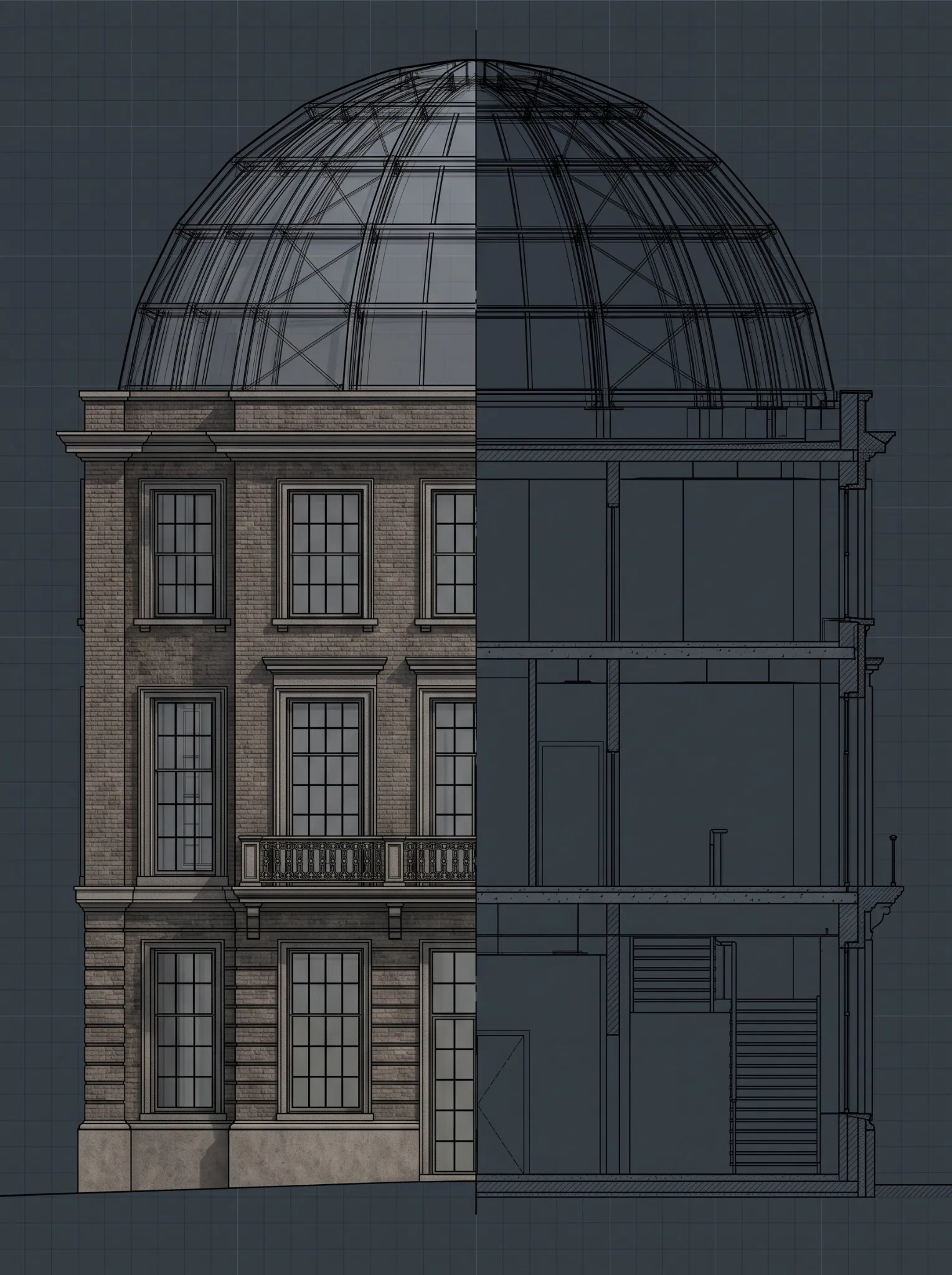









A sample model is often the first real test of a BIM outsourcing partner.
Before a U.S. general contractor, architecture firm, MEP contractor, or fabrication team commits live project work to an external provider, it may receive a sample Revit model, federated coordination model, shop drawing package, or pilot deliverable. The file may open correctly. The 3D views may look clean. The screenshots may appear polished.
But a presentable model is not automatically a reliable project deliverable.
The purpose of a BIM sample model review is not to decide whether a model looks good. It is to determine whether the partner can work within your standards, interpret your inputs, maintain model health, support coordination, handle revisions, and deliver information that your project team can trust.
For U.S. AEC teams evaluating BIM outsourcing services, the sample stage is where you test delivery discipline before assigning a larger scope. This guide explains how to assess a vendor’s sample model using 15 practical quality signals that matter to project teams, not simply to software users.
What is a BIM sample model review?
A BIM sample model review is a structured assessment of a prospective provider’s pilot model or deliverable. It helps you evaluate whether the team can meet your technical, quality, coordination, information-management, and communication expectations before you award a full BIM scope.
A useful sample review checks more than geometry. It should assess:
- Scope interpretation.
- BIM standards compliance.
- Model organization and health.
- Element completeness.
- Required level of detail and information.
- Coordination readiness.
- Quality assurance and quality control.
- Drawing or shop-drawing outputs where required.
- File exchange and interoperability.
- Issue documentation.
- Communication quality.
- Assumptions and RFIs.
- Revision control.
- Data security.
- Readiness to scale into a larger engagement.
The sample should mirror the work you intend to outsource. If you need BIM services for architectural production, review architectural scope, Revit standards, parameter discipline, and drawing outputs. If you need trade coordination, test model federation, clash workflow, issue ownership, and resolution reporting. If you need fabrication support, test whether the output is usable for detailing or shop drawings.
Why a polished sample model can still be a poor delivery signal
A generic sample model often proves only that a vendor can use BIM software. It does not prove that the team can deliver work for your project.
Project models may support coordination, quantity takeoffs, fabrication drawings, sequencing, record-model delivery, or facilities handover. A model that is visually convincing can still fail if it has incorrect coordinates, inconsistent parameters, missing elements, unmanaged links, unresolved clashes, or no decision trail.
GSA BIM requirements illustrate why visual review is not enough. Certain BIM submittals include native models, IFC conversions, quality-control reports, and data exports such as COBie and spatial data. When reviewing a vendor sample, assess whether the team can produce information that is complete, checkable, and usable at the next delivery stage. GSA P100 Facilities Standards
USACE guidance also requires quality-control review before submission. For vendor evaluation, this means a sample should show evidence of review discipline, not merely a polished 3D output. USACE Architect-Engineer General Requirements
What an Excelize sample review is designed to prove
At Excelize, a sample model is not treated as a marketing exercise or a collection of polished screenshots. It is a practical way for a U.S. AEC team to evaluate whether the delivery process fits its standards, coordination workflow, and documentation requirements.
Before a broader assignment begins, Excelize can use a defined sample scope to align on intended model use, deliverables, source inputs, naming conventions, review process, and quality expectations. The team documents assumptions, raises clarification questions when source information is incomplete, and reviews the output against agreed requirements.
Excelize’s approach to BIM quality includes checking models against current project drawings and the BIM management plan, with requirements that may cover level of development, procedures, accuracy, and geometry specifications. Excelize’s BIM quality and accuracy guidance explains why quality review should be part of delivery workflow rather than left until the final submission.
For a buyer, this makes a sample valuable for more than confirming modeling capability. It gives the project team evidence of how Excelize can communicate, manage quality, respond to feedback, and work within project controls during a live engagement.
How to structure a fair BIM vendor sample test
Before looking at the model, make sure the assignment itself is meaningful.
Give shortlisted vendors the same controlled input package wherever possible:
- A defined drawing set, point cloud, trade model, or small building area.
- Required model uses and expected outputs.
- Your BIM Execution Plan, model matrix, naming standards, or office templates.
- Required software versions and file formats.
- A limited but realistic deadline.
- A review checklist.
- A requirement to identify assumptions, RFIs, and missing information.
Avoid asking vendors for an extensive free production package. A small, bounded sample should test delivery fit without asking either side to take on unreasonable effort. For complex, confidential, or high-value BIM work, a paid pilot is often more useful because it resembles a real engagement and creates clearer accountability.
The 15-point BIM sample model review checklist
1. Does the sample meet the assigned scope?
Start with the basic question: did the vendor deliver what the brief requested?
Check whether agreed areas, disciplines, systems, model elements, drawings, schedules, or reports are included. Confirm whether the vendor silently added, omitted, or reinterpreted any part of the assignment.
A good sample reflects the defined scope and documents gaps in inputs.
What to check:
- Required areas and elements are included.
- Requested disciplines and systems are represented.
- Exclusions match the sample brief.
- Assumptions are documented.
- Missing information is raised as an RFI or clarification rather than guessed.
Red flag: The model looks comprehensive, but the vendor cannot explain what was modeled from source information, what was inferred, and what remains unresolved.
2. Does the vendor follow your BIM standards?
A capable BIM outsourcing partner should adapt to your project standards rather than expect your team to work around theirs.
Review file naming, folder structure, worksets, model coordinates, levels, grids, view templates, family standards, shared parameters, and classifications. If you supplied a BIM Execution Plan or modeling guide, evaluate compliance against it.
What to check:
- File names and revision labels follow your convention.
- Levels, grids, coordinates, and project location are correct.
- Templates, worksets, browser organization, and view controls are used as required.
- Families and types follow naming and parameter standards.
- Required shared parameters are present and populated.
- Links are correctly managed and identifiable.
Autodesk’s model-audit guidance supports regular review of data structure, workset strategy, browser organization, layer management, and compliance with project or industry standards. These are practical indicators of whether a model will remain usable after it reaches your internal team. Autodesk model-audit guidance
3. Are model coordinates, levels, and grids reliable?
Coordinate errors can create expensive downstream problems. A detailed model can still be unusable if its shared coordinates, project base point, elevation references, levels, or grids are inconsistent with project controls.
This is especially important in multi-building developments, campuses, data centers, healthcare facilities, renovations, and trade-coordination environments.
What to check:
- Shared coordinates match project requirements.
- Linked models align without manual movement.
- Levels and grids correspond to approved project controls.
- Units and elevations are consistent.
- There are no unexplained offsets, rotations, or duplicate control elements.
- Model origin and site location are documented where required.
Red flag: A provider says the models line up visually but cannot explain the coordinate setup or evidence of a controlled alignment process.
4. Is the model complete for its intended use?
Assess completeness against what the sample must support.
For an architectural production sample, completeness may mean walls, doors, rooms, ceilings, finishes, and documentation elements are modeled according to the brief. For an MEP coordination sample, it may mean major distribution systems, equipment, supports, required clearances, and connection logic are included. For a shop-drawing sample, it may mean dimensions, elevations, tags, schedules, and fabrication details are provided.
Do not ask whether everything is modeled. Ask whether everything required for the intended model use is included.
What to check:
- Elements required by the brief are present.
- Elements have appropriate geometry for their intended use.
- Required systems, parameters, and connections are represented.
- The model does not include unexplained placeholders or generic substitutions.
- Required information is present at the relevant milestone.
5. Is the level of detail appropriate, not merely high?
More geometry is not always better.
A vendor may create unnecessary detail to make a sample impressive while missing information or coordination requirements that matter to your project. Conversely, a relatively simple model may be correct for conceptual estimating or early-stage coordination.
Review whether geometry and information support the stated BIM use. If the output will support fabrication or shop drawings, evaluate dimensions, elevations, connections, clearances, access zones, and documentation needs. If it is an existing-condition assignment using Scan to BIM services, assess whether the model matches the agreed accuracy, source-data condition, and required information level.
Red flag: The vendor claims a high LOD but cannot explain which elements meet that requirement, at what stage, and for which downstream purpose.
6. Is the model healthy and easy to work in?
Model health is less visible than 3D views or rendered screenshots, but it affects the internal team that must open, coordinate, revise, issue, or hand over the file later.
Review the model for:
- Excessive warnings.
- Duplicate instances or elements.
- Broken, corrupt, or unnecessary links.
- Unnecessary imported CAD files.
- Oversized or poorly managed families.
- Unused views, sheets, schedules, or types.
- Inconsistent worksets.
- Unnecessary in-place families.
- Slow opening, syncing, or navigation.
- Poorly controlled design options or phases.
USACE quality-control guidance identifies model-integrity checks such as finding undefined, incorrectly defined, or duplicated elements. In a vendor sample, these are practical indicators of whether your internal staff can coordinate, update, and reuse the model confidently. USACE Design Submission Requirements Manual
The sample does not need to be perfect. It should demonstrate that the vendor has a model-health process and does not pass avoidable technical debt to your team.
How Excelize applies BIM quality assurance
Excelize treats BIM quality assurance as a defined delivery process, not a final review immediately before submission.
The process starts by aligning required output with current project drawings, project standards, and intended BIM use. Review cycles then identify omissions, inconsistencies, and corrections before deliverables move into active coordination, documentation, or client review.
For a sample-model review, Excelize can align checks to the criteria that matter to your scope:
- Modeling standards and required level of development.
- Geometric accuracy and element completeness.
- Alignment with current drawings and approved inputs.
- Parameter and information requirements.
- Coordination readiness and issue visibility.
- Revision handling and traceability.
- Deliverable format and handover requirements.
A model can technically open and still be difficult to coordinate, update, issue, or trust. A structured Excelize QA process aims to surface those gaps before they create delivery pressure for the U.S. project team.
7. Are parameters, classifications, and data fields complete?
A sample may have correct geometry but weak data quality.
Review required parameters, classifications, object names, type marks, system names, room data, equipment tags, fire ratings, material information, asset IDs, or COBie-related fields based on the sample scope.
buildingSMART’s Information Delivery Specification enables requirements for objects, classifications, properties, values, and units to be defined in a computer-interpretable form. This gives project teams a structured way to validate whether required model information has been delivered.
What to check:
- Required parameters exist and are correctly populated.
- Values are consistent and use agreed naming.
- Classifications align with project requirements.
- Generic placeholders are identified.
- Data exports match model content.
- Required asset or handover data is traceable.
8. Are model elements buildable and coordination-ready?
For a coordination or fabrication sample, geometry must support buildability, not only visual representation.
Review clearances, access zones, support space, maintenance space, insulation thickness, sleeve requirements, connection logic, and trade interfaces. The goal is not to redesign the project during a sample review. It is to understand whether the team recognizes elements that affect installation and coordination.
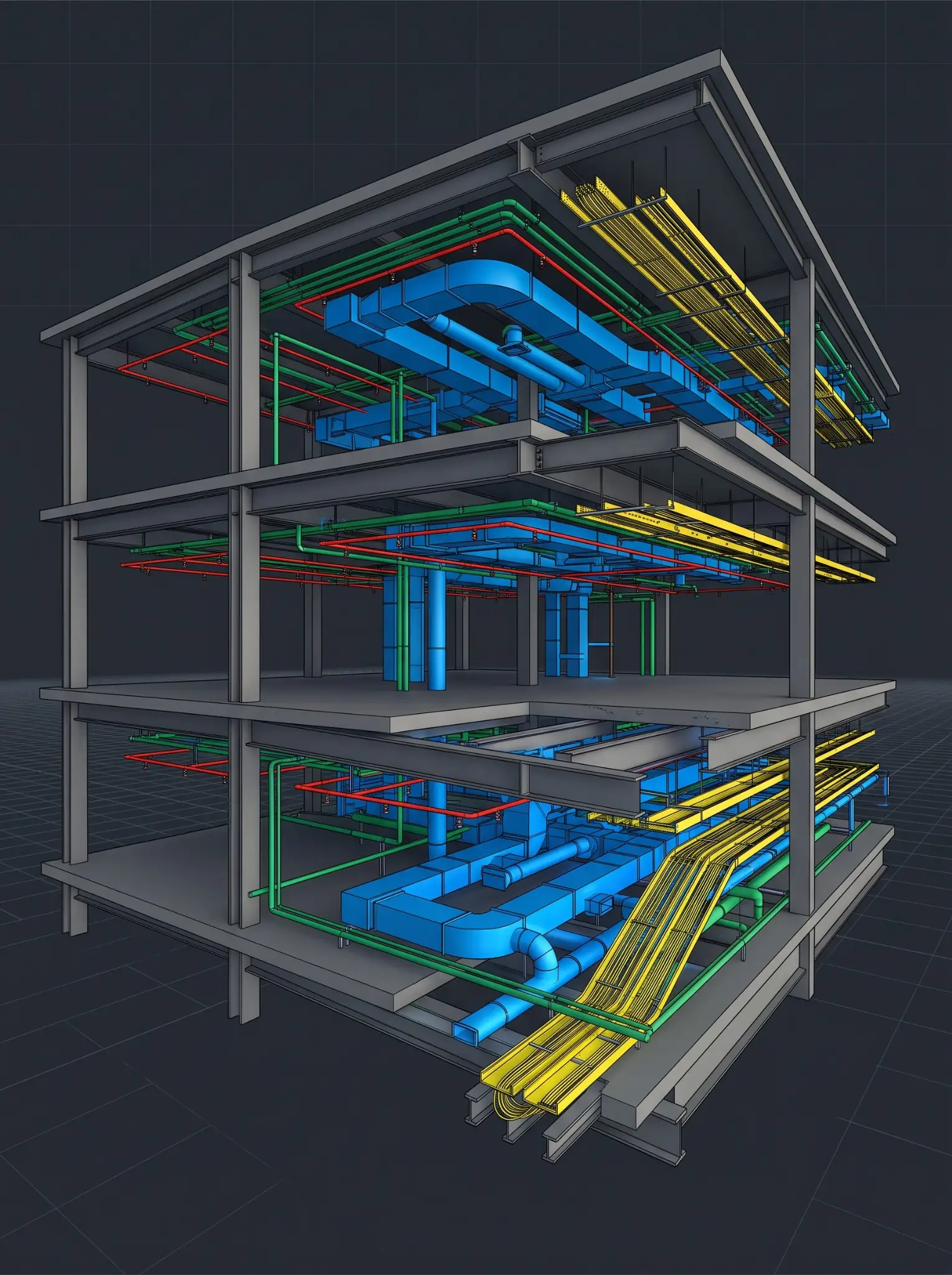
USACE quality-control guidance distinguishes hard interferences, where objects occupy the same physical space, from soft interferences, such as access, fireproofing, and insulation conflicts. This helps the project team separate genuine construction risks from simple clash-count noise. USACE interference-management guidance
Red flag: The vendor reports only a clash count and does not distinguish between a critical constructability conflict, a clearance issue, a false positive, and an information gap.
9. Does the vendor run meaningful clash detection?
Clash detection is not simply a software output. Its usefulness depends on rules, tolerances, prioritization, issue ownership, and the review process behind it.
If you are evaluating MEP coordination services, ask for a sample clash workflow, not only screenshots.
Review whether the sample includes:
- Defined clash sets and trade combinations.
- Clear hard-clash and soft-clash rules.
- Appropriate tolerances and exclusions.
- Grouping or filtering of duplicate clashes.
- Priority categories.
- Assigned responsibility.
- Viewpoints and location data.
- Issue status and due dates.
- Explanation of resolved, accepted, and deferred issues.
USACE describes clash detection as identifying conflicts where elements from separate discipline models occupy the same space. When reviewing a sample, the important question is whether the provider can convert those findings into useful coordination decisions before construction begins. USACE BIM clash-detection overview
10. Can the vendor turn issues into decisions?
A strong sample demonstrates more than detection. It shows how the provider documents, assigns, communicates, and follows through on coordination issues.
Look for:
- An issue log with a unique ID.
- Discipline or trade ownership.
- Clear issue description.
- Visual viewpoint or model reference.
- Priority and due date.
- Recommended action or required decision.
- Status history.
- Confirmation that the model changed after resolution.
Many teams can create a federated model. Fewer can keep coordination moving when design changes, trade dependencies, field conditions, and schedule constraints create competing priorities.
From model review to accountable coordination
Excelize supports U.S. AEC teams with BIM production, consulting, design support, and staffing structured around client standards and workflows. It is not a one-size-fits-all production model.
For coordination assignments, the objective is not only to identify conflicts. It is to create a model and issue-management process that gives project teams enough clarity to prioritize decisions, assign accountability, and carry approved changes into the latest coordinated output.
Where appropriate, an Excelize sample can include an issue log, viewpoints, assumptions register, and review-response document. This allows VDC, project-management, and trade teams to evaluate the model and the process behind it.
11. Are drawings and documentation usable?
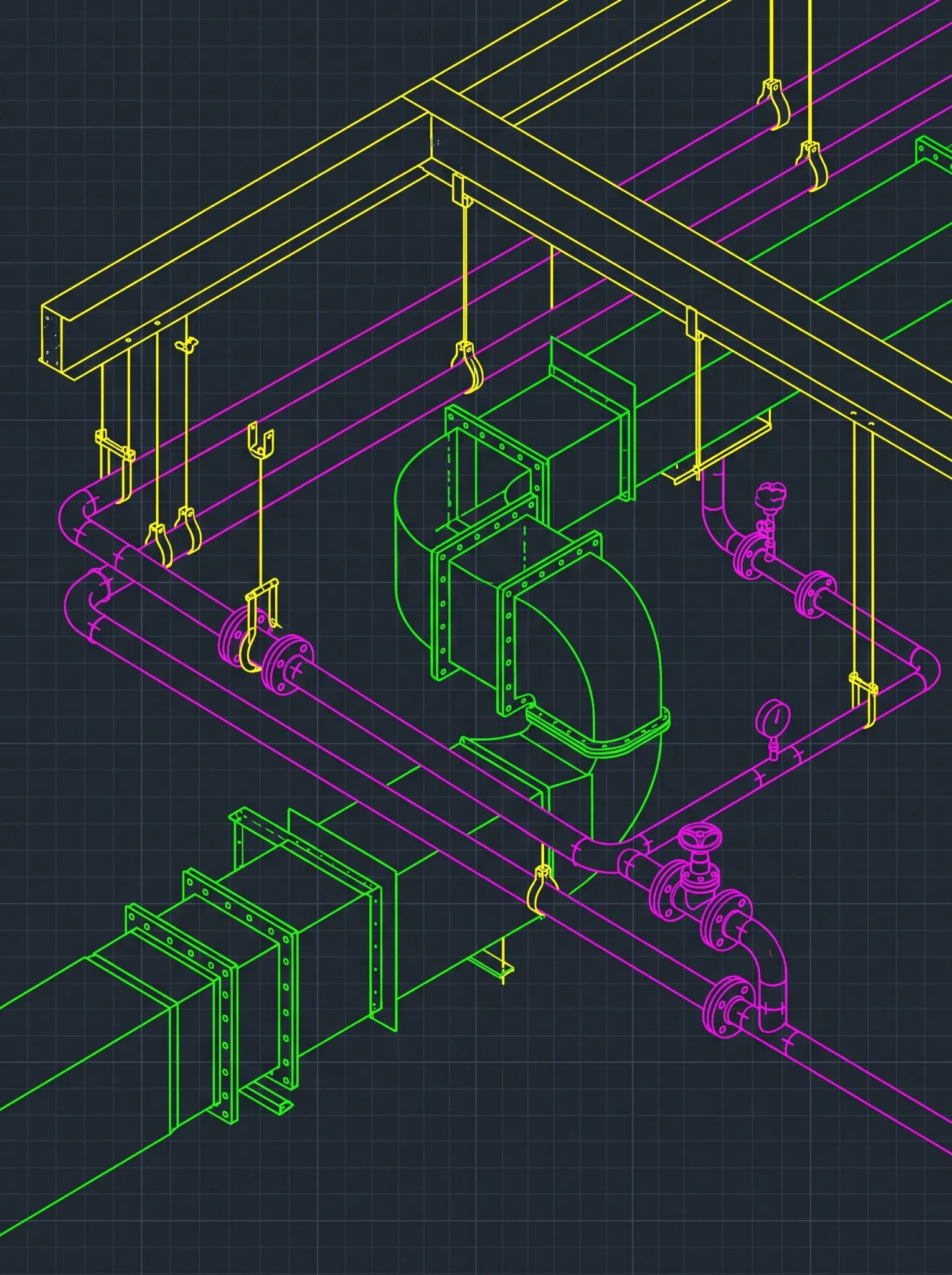
If the intended scope includes coordinated drawing packages, fabrication documentation, or shop drawing services, do not review the model in isolation.
Open the drawings and ask whether a field or shop team could use them.
Check:
- Drawing title, revision, scale, and sheet-number compliance.
- Consistent view names and annotations.
- Dimensions, elevations, tags, and notes.
- Required sections, details, and enlarged views.
- Coordination between model and drawing content.
- Clear representation of trade interfaces.
- Revision clouds or revision tracking where required.
- Print readiness and legibility.
A polished model paired with incomplete drawings is not a complete deliverable. The sample should show that the provider understands the connection between a coordinated model and the information used to build, fabricate, review, or approve work.
12. Does the model exchange correctly?
File-exchange issues often emerge after a provider has been selected, when your team tries to open a native file, link an external model, export IFC, or use data in another platform.
Use the sample to test interoperability where it matters. Ask the vendor to deliver native files, linked files, exports, reports, and documentation in the same form expected in the live engagement.
buildingSMART’s IFC Validation Service can check whether an IFC file conforms to the relevant IFC schema and specification. It does not replace a project-quality review, but it can help verify basic exchange conformance before the file becomes part of a live handover process.
What to check:
- Required files open in agreed versions.
- Links resolve correctly.
- Exports complete without unexplained loss of critical information.
- File names and folder paths are usable.
- Schedules and reports reconcile with the model.
- Handover package structure is clear.
13. Does the vendor ask the right questions?
One of the strongest quality signals is not in the file. It is in the vendor’s questions.
A capable BIM partner identifies contradictions, missing details, unclear responsibilities, and assumptions before they become model errors. Review the sample’s RFI log, assumptions register, or clarification email.
Strong questions may cover:
- Conflicting architectural and structural information.
- Missing equipment data.
- Undefined system routing.
- Unclear LOD or model-use expectations.
- Unresolved responsibility between trades.
- Missing coordination tolerances.
- Required clearance and access rules.
- Unclear revision authority.
Red flag: The vendor asks no questions on a complex sample. That can indicate unrecorded assumptions rather than flawless inputs.
14. Is the review and revision process disciplined?
The first sample submission is only one part of the evaluation. How the provider responds to feedback is often more revealing.
Give structured markups and review:
- Whether the team understands the issue.
- Whether it distinguishes corrections from scope changes.
- Whether revised files use correct naming and version control.
- Whether the response includes a clear comment log.
- Whether model, drawings, schedules, and reports remain aligned after revision.
- Whether the team introduces new errors while addressing old ones.
One revision cycle provides a practical preview of how the provider will perform during active project coordination.
15. Can this team scale from a sample to a live project?
A good sample does not automatically mean a vendor is ready for a large or fast-moving project. The final question is whether the delivery model can scale.
Ask the provider to show:
- Proposed production and QA staffing.
- Named project leadership.
- Backup resources and continuity plan.
- Availability for U.S. project meetings.
- Communication and escalation process.
- Weekly reporting format.
- Onboarding plan.
- Capacity to absorb model updates, RFIs, trade changes, and additional packages.
- Recommended commercial structure.
Review Excelize’s engagement models and how Excelize works to understand how a defined project scope, flexible support arrangement, or dedicated BIM team can be structured after the sample phase.
See how Excelize would approach your BIM sampleSend Excelize a representative model, drawing package, or defined scope. We can help structure a controlled sample that tests standards alignment, model quality, coordination readiness, communication, and review discipline before you assign a larger workload.
Request an Excelize BIM Sample Review →A practical scoring method for your BIM vendor quality checklist
To make a sample-model review more objective, score each of the 15 signals from 1 to 5.
- 1, high risk: Little evidence of control, missing requirements, or serious quality concerns.
- 2, needs significant improvement: Some capability is visible, but the process or output is inconsistent.
- 3, acceptable: Meets basic sample requirements with manageable gaps.
- 4, strong: Clear standards alignment, reliable QA/QC, and evidence of sound delivery discipline.
- 5, excellent: Project-specific quality, proactive communication, robust documentation, and a scalable delivery approach.
Do not allow a high score in one area to conceal a critical weakness in another. A technically strong model should not offset weak data security, unclear model ownership, poor coordination governance, or a lack of accountable staffing.
For high-risk or high-value work, set minimum pass requirements for:
- Standards compliance.
- Model integrity.
- Coordination process.
- QA/QC evidence.
- Data and file-exchange controls.
- Communication and revision management.
- Staffing and escalation accountability.
What should make you reject a BIM sample model?
A sample does not need to be flawless. It does need to be credible.
Pause or reject a vendor if you see repeated evidence of the following:
- The team does not follow supplied BIM standards.
- The model has major coordinate, level, grid, or link-management issues.
- Required elements or data are missing without explanation.
- The vendor cannot explain its QA/QC process.
- Clash reports contain no ownership, priority, or resolution workflow.
- Markups are handled inconsistently or create new errors.
- File exports or linked files do not work as expected.
- The team makes important assumptions without documenting them.
- The vendor cannot identify named project leadership or backup coverage.
- The proposal promises fast turnaround but lacks a realistic delivery, review, and escalation process.
A sample is designed to prevent the wrong decision from becoming a live-project problem. Use it accordingly.
What buyers should expect from an Excelize pilot
A successful pilot should lead into an organized project start, not an informal handoff of more files.
Excelize can use the output of a sample review to define the delivery model, final scope, staffing structure, quality checkpoints, communication cadence, model-exchange process, and escalation route for the full assignment. This is particularly useful when your team needs recurring production support, evolving coordination capacity, or a dedicated BIM team operating to your firm’s standards.
Excelize has delivered BIM services, consulting, design support, and BIM staffing since 2004. Its website states that the company has completed 2,500+ projects for 200+ companies. Excelize company overview
Before moving from a pilot to a broader program, review Excelize BIM case studies for examples of documented project constraints, coordination challenges, and outcomes.
Turn your sample requirements into a BIM delivery planIf you have defined a pilot scope or completed an initial vendor evaluation, Excelize can help translate it into a practical delivery plan with clear staffing, quality gates, model-exchange routines, review responsibilities, and escalation paths.
Plan Your BIM Delivery With Excelize →Frequently Asked Questions
What should I look for in a BIM vendor sample model?
Review project-scope compliance, BIM standards adherence, coordinates, levels, model health, required elements, parameters, data quality, coordination readiness, clash workflow, drawing quality, file exchange, documented assumptions, revision control, and the teamu2019s ability to scale.
How long should a BIM vendor sample project take?
The right timeline depends on scope and complexity. A sample should be large enough to test the actual workflow but limited enough to review quickly. Define a realistic deadline, then assess not only on-time delivery but also the vendoru2019s questions, QA/QC process, and response to feedback.
Should a BIM sample model be free or paid?
A small prequalification sample can be appropriate for a straightforward scope. For complex, confidential, or high-value work, a paid pilot is usually more useful because it enables a meaningful assignment, clear accountability, and a realistic test of how the provider will work with your project team.
How do I assess BIM model quality?
Assess quality against the intended model use and project requirements. Check model geometry, information, standards compliance, health, coordination readiness, documentation, file exchange, QA/QC evidence, and acceptance criteria. Do not judge quality solely by screenshots or visual presentation.
What is the difference between BIM QA and BIM QC?
BIM quality assurance refers to planned processes, standards, and controls used to prevent errors. BIM quality control refers to actual inspection and checking of deliverables before submission. Reliable BIM partners use both: planned QA processes and documented QC checks.
Final takeaway
A BIM sample model review is an opportunity to assess the delivery habits that will shape your live project: standards discipline, model integrity, coordination maturity, information quality, file control, communication, and accountability.
The strongest BIM outsourcing partner is not the one that merely produces an attractive model. It is the one that can work within your standards, document assumptions, apply quality controls, support coordination decisions, and scale when project requirements change.
Excelize approaches pilot work with that same objective: giving U.S. AEC teams a practical, lower-risk way to evaluate model quality and delivery fit before expanding the scope. Its documented work across BIM production, coordination, design support, consulting, and staffing can help project teams build capacity without losing control over standards and delivery.
Get an expert review before you commit project workChoosing a BIM partner affects more than capacity. It affects model quality, coordination, schedule reliability, information control, and the review burden on your internal team. Speak with Excelize about your model requirements, project standards, and delivery timeline before assigning live project work.
Talk to an Excelize BIM Expert →