











By the Excelize BIM Delivery Team
What does a fabricator actually buy when it pays for a three-day spool drawing turnaround: three days of detailing, or three days of certainty?
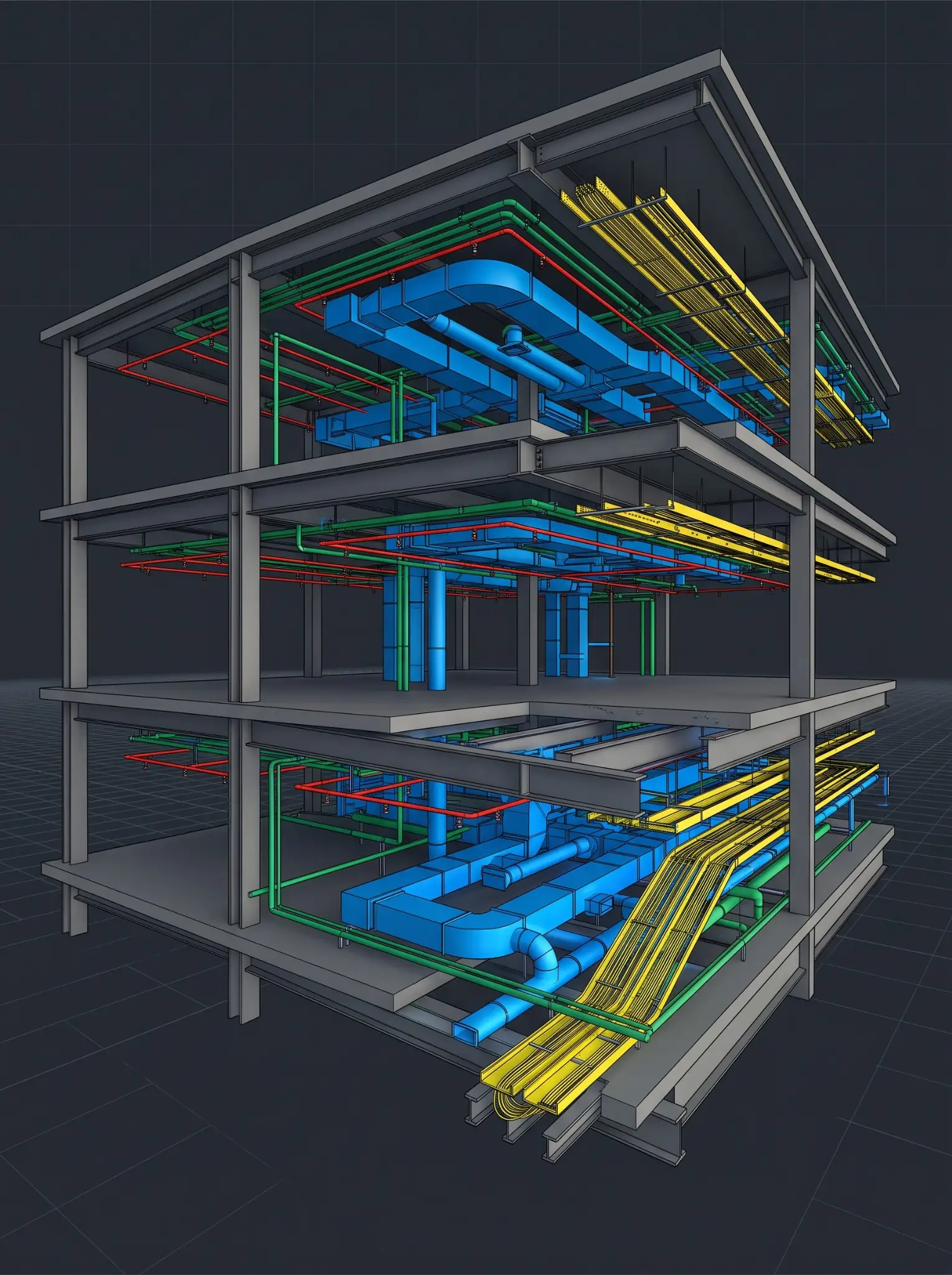
That question gets harder as U.S. MEPF contractors and fabricators take on more prefabrication, commit material earlier, and work inside tighter installation windows. A package can be urgent because the shop needs it by Friday, but urgency doesn’t make missing equipment data, open coordination decisions, fragmented comments, or unverified field conditions go away.
Getting that assumption wrong costs more than drafting time. In FMI’s State of Global Preconstruction report, produced with Procore, organizations with above-average preconstruction processes said they struggle with rework 65% less often than below-average organizations, and FMI reports they are 52% more likely to report higher profitability. The survey was global, not U.S.-only, but the lesson for fabrication delivery holds: a turnaround promise is only worth what the information, decisions, and review path behind it are worth.
That’s why spool and fabrication drawing turnaround times shouldn’t be negotiated as days per sheet. Two days may be realistic for a frozen, coordinated, repetitive branch-line package. The same promise is commercially dangerous for an equipment room where the submittal is changing, supports are undecided, and three trades still own open routing conflicts.
Reliable teams treat the SLA as a shared release agreement. It sets when a package is ready to enter production, what coordination and QA/QC are included, how review and revision time are handled, what resets the clock, and who has authority to release the result to the shop or field.
This is a delivery-planning guide. Project contracts, subcontracts, the BIM Execution Plan, and submittal procedures define actual scope, model ownership, engineering responsibility, delegated design, field verification, and release authority.
Direct Answer: How Should You Set Spool and Fabrication Drawing Turnaround Times?
Start the clock at a confirmed package-readiness date, not at the first request, email, model upload, or marked-up PDF. A credible SLA separates five clocks:
- Readiness time: Confirming current inputs, coordination status, scope, standards, dependencies, and review path.
- Production time: Modeling, detailing, spooling, annotating, checking, and packaging the agreed deliverable.
- Review time: The GC, trade contractor, fabricator, engineer, or other designated reviewer.
- Revision time: Addressing consolidated, in-scope comments and repeating required QA/QC.
- Change time: New RFIs, equipment changes, revised submittals, field conditions, updated models, or changed sequence.
The SLA should say what starts the clock, what pauses it, what’s included, what triggers a rebaseline, and what the delivered package is approved to support. A coordinated drawing package isn’t automatic authorization to fabricate, procure, or install.
See what a coordinated package looks like on your own scope.Share a construction set or model and get a sample detailed to your standards in 2 to 3 days.
Get a Sample Spool or Fabrication Drawing on Your Own Package →Key Takeaways
- The fastest turnaround isn’t always the safest commitment. Speed only has value when the package starts from current, coordinated, usable information.
- Sheet count is a weak measure. One equipment-room spool sheet can carry more coordination risk than dozens of repetitive branch-line spools.
- Separate production from review. A detailing team controls its production effort, not how long outside reviewers take.
- Use one Ready for Detailing gate. Start the clock only after scope, inputs, submittals, open issues, standards, and review path are confirmed.
- Include one controlled revision loop, not unlimited redesign. Consolidated in-scope comments differ from new design, field, or scope changes.
- Tie priority to installation sequence. The package that protects procurement, shipping, rough-in, or a crane pick outranks the request that arrived first.
- Protect release authority. A drawing can be coordinated and checked while fabrication and installation release stays with the designated project parties.
The Fabrication SLA Is a Risk Allocation Tool
Most teams think of an SLA as a date. It’s more useful to treat it as a way of allocating time risk across everyone who contributes to a fabrication-ready package.
If the trade sends complete, current, coordinated inputs and the detailing team misses the production date, the detailing team owns that delay. If the equipment cut sheet changes mid-package, the design team revises a routing condition, or fragmented comments arrive after the review window, the original promise no longer describes the same package. A good SLA makes that visible before work starts.
The Five Clocks Inside Every Turnaround Promise
| Clock | Question it answers | Typical owner | What can change it |
|---|---|---|---|
| Readiness | Is the package ready to enter detailing? | GC, trade, fabricator, detailing team | Missing models, open RFIs, unapproved submittals, incomplete scope |
| Production | How long does the agreed drawing work take? | Detailing team | Complexity, volume, required outputs, approved priority |
| Review | How long do designated reviewers have? | GC, fabricator, trade, engineer | Reviewer availability, comment quality, escalation |
| Revision | How long to address consolidated comments? | Detailing team and reviewers | Comment volume, clarity, drawing impact, recheck |
| Rebaseline | Has the package changed enough to need a new commitment? | All affected parties | Revised models, RFIs, submittals, field findings, new priorities |
The core commercial point: a three-day SLA only means something if the parties agree which of these clocks sit inside those three days.
The Ready-for-Detailing Test
Before accepting a turnaround commitment, classify the package as Green, Amber, or Red. This is a decision gate that tells the project whether the clock should start.
| Status | What it means | SLA decision | Typical conditions |
|---|---|---|---|
| Green: Ready | Inputs are current and scope is stable | Start the production clock | Current models, confirmed area, applicable submittals, known review route, standards available |
| Amber: Controlled assumptions | Work can begin with defined open items | Start only with written assumptions and limited scope | One pending RFI, a known field-verify item, a minor submittal clarification |
| Red: Not ready | Key inputs or decisions are missing | Don’t start the clock | Unknown equipment, major open coordination issue, unissued design change, unclear package boundary |
Green: Start the Clock
A Green package has:
- A defined system, zone, floor, room, riser, assembly, or spool scope
- Current model and drawing inputs identified by date or revision
- Applicable equipment, material, and submittal information
- Known coordination status for the assigned scope
- Drawing standards, title block, naming, tagging, and spool ID rules
- Named reviewers and a stated comment-return window
- A stated fabrication or installation priority
Amber: Start Only With Documented Assumptions
An Amber package can move when the open item is limited, visible, and unlikely to invalidate the whole package. Examples:
- One pending RFI affecting a short run
- A field-verify item that can be shown as a hold
- A trade interface outside the package’s immediate fabrication scope
- A minor equipment-data clarification that doesn’t affect routing or connection geometry
Record the assumption, affected scope, responsible decision-maker, and rebaseline trigger.
Red: Don’t Create a False Turnaround Promise
Don’t commit a normal SLA when:
- Equipment selection is unresolved or major routing conflicts are open.
- Structural openings, sleeves, supports, or access zones are undecided.
- Models and drawings conflict materially, or the source information is outdated.
- The package boundary or review path hasn’t been identified.
- Field conditions may change the routing, elevation, connection, or assembly.
A Red package can still get support through model cleanup, coordination review, or early planning. It just shouldn’t be treated as fabrication-ready production.
What a Realistic Fabrication Drawing SLA Should Include
1. Define the Package, Not Just the Deadline
Name the deliverable in terms the shop, field, and detailing team all recognize:
- Level 03 domestic water branch-line spool package
- Mechanical room duct spool and hanger layout package
- West riser chilled water fabrication drawing package
- Electrical room cable tray coordination and drawing package
- Prefabricated restroom assembly package
- Structural steel connection and shop drawing revision package
“Complete all spool drawings by Friday” doesn’t identify scope, sequence, readiness, review, or output.
2. Define Which Inputs Govern the Package
| Input type | What the SLA should identify |
|---|---|
| Model source | Required discipline and trade models, revision, publish date, intended use |
| Drawing source | Current drawings, detail references, bulletins, ASIs, addenda |
| Equipment and material data | Governing submittals, cut sheets, connection data, clearances |
| Coordination record | Open issues, accepted conditions, exclusions, pending decisions, field-verify items |
| Project standards | Naming, title block, dimensions, spool IDs, tags, schedules, file requirements |
| Delivery requirements | Sheets, spools, BOMs, schedules, exports, model updates, submission format |
| Review structure | Named reviewers, timing, comment method, revision expectations, acceptance condition |
For structural steel, AISC’s Model Review and Approval for Structural Steel guide notes that the Code of Standard Practice allows both models and 2D drawings as contract documents without saying which takes precedence, so the owner’s designated representative for design should define it. The same discipline helps MEPF packages: know which model, drawing, submittal, and field record governs before the package enters production.
3. Separate Coordinated Delivery From Fabrication Release
This is one of the most important protections in any fabrication SLA. A detailing team may deliver a coordinated model update, a spool package, a shop drawing package, a fabrication drawing package, or a revision set. None of these automatically authorizes fabrication, purchasing, installation, or construction.
Suggested SLA language:
“Delivery by the detailing team confirms completion of the agreed package scope and required quality checks. Fabrication, procurement, installation, and construction release remain subject to the project’s defined review, approval, trade, engineering, field-verification, and contractual procedures.”
Release control should be traceable. It shouldn’t rest on an informal assumption that a delivered drawing is ready for the next downstream step.
4. Define the Review and Revision Model
The SLA should name:
- The reviewer or reviewers and the review duration
- The comment-submission method and a requirement for consolidated comments
- The number of included revision cycles and the revision turnaround
- How conflicting comments are handled
- The escalation path for missed review windows
- The conditions that trigger a rebaseline
The AASHTO/NSBA Steel Bridge Collaboration’s shop detail drawing review guideline, written for steel bridges, says shop detail drawings should be submitted and returned by the most expeditious routing consistent with the contract documents. On building projects the principle carries over: routing is rarely fast when comments arrive through separate channels or the package has no named review owner.
5. State What Changes the Date
Re-estimate or rebaseline the clock when the package is affected by:
- New or revised design drawings, or a new RFI response
- An updated equipment selection or submittal
- A new structural support, opening, sleeve, or access requirement
- An updated discipline or trade model
- A revised field condition
- Added systems, zones, floors, spools, or outputs
- A changed fabrication or installation sequence
- New client standards or documentation requirements
- Comments that change the coordination basis rather than correct an in-scope drafting issue
Why Package Classes Matter More Than Sheet Counts
Sheet count is easy to measure and a poor predictor of effort. Group work into package classes instead.
| Package class | What makes it predictable | What makes it risky |
|---|---|---|
| Repetitive branch-line spools | Standard systems, stable model, few interfaces | Late branch changes, missing field dimensions, unapproved connection data |
| Main distribution spools | Defined route, stable structural and MEPF coordination | Supports, access zones, elevation changes, congestion |
| Equipment room packages | Approved equipment and access data | Dense interfaces, maintenance zones, late equipment changes |
| Riser packages | Stable multilevel alignment and openings | Sleeve changes, floor sequencing, firestopping, structural conflicts |
| Prefabricated assemblies | Repeatable assembly rules, fixed shop requirements | Shipping limits, connection changes, assembly sequencing |
| Revision packages | One consolidated comment set, unchanged source basis | Fragmented comments, upstream model changes, new RFIs |
| Retrofit packages | Verified scan and field inputs | Uncertain existing conditions, concealed utilities, demolition changes |
The more a package depends on unknowns, the less a generic turnaround promise is worth.
The SLA Stress Test
Before accepting a turnaround commitment, answer each question Yes, Partly, or No.
| Question | Why it matters |
|---|---|
| Is the package boundary defined by system, area, level, or assembly? | Prevents scope growth mid-production |
| Are source models and drawings current and identifiable? | Protects against detailing from obsolete information |
| Are equipment selections and connection requirements known? | Avoids rerouting after submittal changes |
| Are open clashes, RFIs, and field issues identified? | Allows holds or rebaseline decisions before work starts |
| Are drawing standards and required outputs available? | Prevents rework from late documentation requirements |
| Is the review path named and time-bound? | Separates production time from review delay |
| Must comments be consolidated? | Reduces contradictory revision cycles |
| Is there a defined acceptance condition? | Clarifies what the package supports |
| Is there a written rebaseline rule? | Prevents hidden scope and schedule changes |
| Is priority tied to a real fabrication or installation milestone? | Protects the schedule instead of the loudest request |
How to Read the Result
- Mostly Yes: The package can support a firm production SLA.
- Several Partly answers: Use an Amber commitment with written assumptions and specific rebaseline triggers.
- Any critical No: Treat the package as Red and resolve the missing condition before committing a date.
Want a second look at a package before you commit the date?Walk a live package through the readiness gate, the review path, and the shop sequence with a BIM lead.
Test Your Next Fabrication Package's Turnaround in a Discovery Session →A Better Commercial Model: Capacity Tiers, Not One Turnaround Promise
A reliable detailing partner shouldn’t promise one turnaround for every package. Define capacity tiers instead.
| Tier | Package condition | Commitment |
|---|---|---|
| Standard coordinated delivery | Green, normal complexity | Defined turnaround after Ready for Detailing confirmation |
| Priority delivery | Green, tied to a schedule-critical milestone | Accelerated turnaround with reserved capacity and named reviewer availability |
| Controlled assumption delivery | Amber, limited known uncertainty | Partial or conditional package with documented assumptions |
| Recovery delivery | Delayed, high-risk, or incomplete | Rapid assessment, scope segmentation, and staged delivery |
| Program delivery | Recurring packages across a project or portfolio | Weekly capacity allocation, agreed package classes, rolling release plan |
This gives the GC and fabricator a better way to ask for speed. Instead of “Can you do this in 48 hours?”, ask: Is this package Green, Amber, or Red? Which tier protects the milestone? What capacity must be reserved? Who reviews it? What would change the commitment?
What a Fabrication Delivery Partner Should Be Able to Show You
Before awarding drawing work, ask the partner to explain:
- How it confirms readiness before starting a package
- How it records assumptions, exclusions, and missing inputs
- How it prioritizes competing urgent requests
- How it checks model-to-drawing alignment
- How it controls revisions and manages review comments
- How it reports status and risks
- How it handles a changed submittal, RFI, or field condition
- How it separates coordinated delivery from release authority
- How it scales production without bypassing QA/QC
How Excelize Supports Spool and Fabrication Drawing Delivery
Excelize serves as an extended detailing team for U.S. subcontractors and fabricators, with offices in New Jersey and California and operating on U.S. hours. Since 2004, it has delivered 2,500+ BIM projects for 300+ clients. The services that map to this guide:
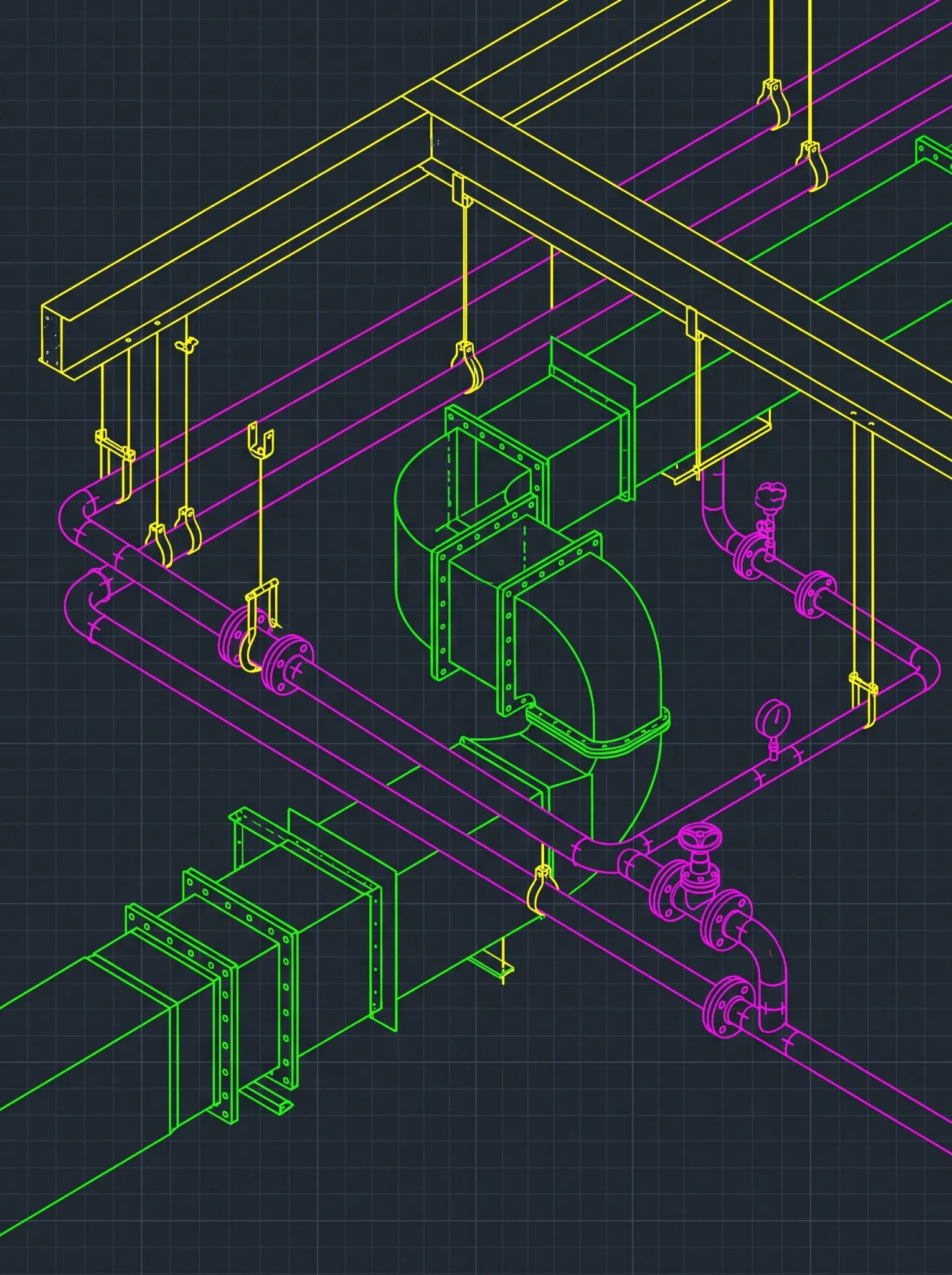
- Spool drawings: Pipe spool drawings with isometrics, cut lists, BOMs, weld maps, and spool numbering for mechanical, plumbing, and process piping, spooled from piping coordinated to the construction model.
- Fabrication drawings: Fabrication drawings for sheet metal, duct, piping, and MEPF components, with cut sheets, BOMs, spooling and tagging, and exports for your machines where needed, detailed in Revit, Tekla, and AutoCAD with CADmep.
- Shop drawings: BIM-based shop drawings for mechanical and sheet metal, piping and plumbing, fire protection, and structural and miscellaneous metals, with steel detailed to your engineer’s connection design.
- Coordination: BIM coordination and clash detection and 2D coordination drawings so packages start from a clash-checked model.
Each of these service processes starts the way the readiness gate in this guide does, by confirming inputs and standards before detailing begins: the coordinated model or construction set, your shop, piping, or machine standards, and the GC’s BEP. Each package is checked against the model and your standards before issue, and a detailer or pod can join your project within 48 hours. For a steady award flow, a Dedicated BIM Studio keeps the same team on your standards across packages; see the engagement models for Time & Materials and Per-Project options.
Excelize supports BIM, coordination, and documentation within the agreed scope. The responsible engineer, contractor, fabricator, and project approver keep their assigned responsibilities, including engineering, delegated design, field verification, means and methods, and authorization to release information for fabrication or installation.
FAQ: Spool and Fabrication Drawing Turnaround Times
What Is a Realistic Spool Drawing Turnaround Time?
It depends on package readiness, complexity, coordination status, input quality, review path, revision expectations, and priority. A Green package with stable inputs can support a firm production commitment. A package with open coordination, missing submittals, or uncertain field conditions should get an Amber or Red classification instead of an unconditional deadline.
What Should a Fabrication Drawing SLA Include?
A Ready-for-Detailing start condition, package scope, input baseline, production turnaround, review time, included revision cycles, QA/QC requirements, delivery format, acceptance path, change-control rules, rebaseline triggers, reporting expectations, and a release limitation.
Do Turnaround Times Include Review Time?
Not unless the SLA says so. Production, review, revision, and change time should be measured separately because different parties control them.
How Many Revision Cycles Should a Shop Drawing SLA Include?
State the number of included consolidated, in-scope cycles. One controlled cycle may suit a mature package. New design information, revised submittals, changed field conditions, or changed scope should trigger a rebaseline rather than count as ordinary comments.
What Starts the Fabrication Drawing Turnaround Clock?
Meeting the Ready-for-Detailing gate: defined scope, governing model and drawing inputs available, relevant submittals and RFIs identified, coordination limits known, standards confirmed, and the review path established.
Does a Coordinated Drawing Package Authorize Fabrication?
Not automatically. Fabrication authorization depends on the contract, trade agreement, submittal process, engineering requirements, field-verification obligations, and designated release authority. Delivery by a BIM or detailing partner doesn’t transfer those responsibilities unless they’re assigned in writing.
How Should a GC Prioritize Spool and Fabrication Packages?
By schedule consequence, not request date. Consider shop capacity, material availability, procurement commitments, prefabrication needs, shipping dates, installation sequence, crew availability, structural progress, and the cost of leaving an issue open.
The Best SLA Buys Certainty, Not Just Speed
The goal isn’t the shortest date. It’s a commitment that survives the real conditions of coordinated delivery: an agreed readiness gate, production separated from review and revision, recorded assumptions, clear change triggers, protected QA/QC, and priorities tied to fabrication and installation sequence.
That’s how GCs, MEPF contractors, fabricators, and detailing teams turn an urgent drawing request into a controlled path to the next release.
Do you have spool, fabrication, or shop drawing packages coming up?Share the package list, models, and shop schedule. We’ll quote the detailing scope, including readiness conditions, review cycles and revision terms.
Request a Quote for Spool and Fabrication Drawing Services →